
Content management
Rebuild the agreed pages in WordPress.
URL continuity
Review important historical paths.
Clear handover
Understand the new editing workflow.
Archived content. A new WordPress home.
Turn captured content into editable pages
A WordPress restoration creates a new content-managed website from available archive evidence. It suits businesses that need to update pages after recovery. The published service price is $79; page coverage and the implementation scope should be agreed for your site.
Decide who will manage the rebuilt website and what they need to update. That helps define page structure, navigation and the editing approach before reconstruction begins.
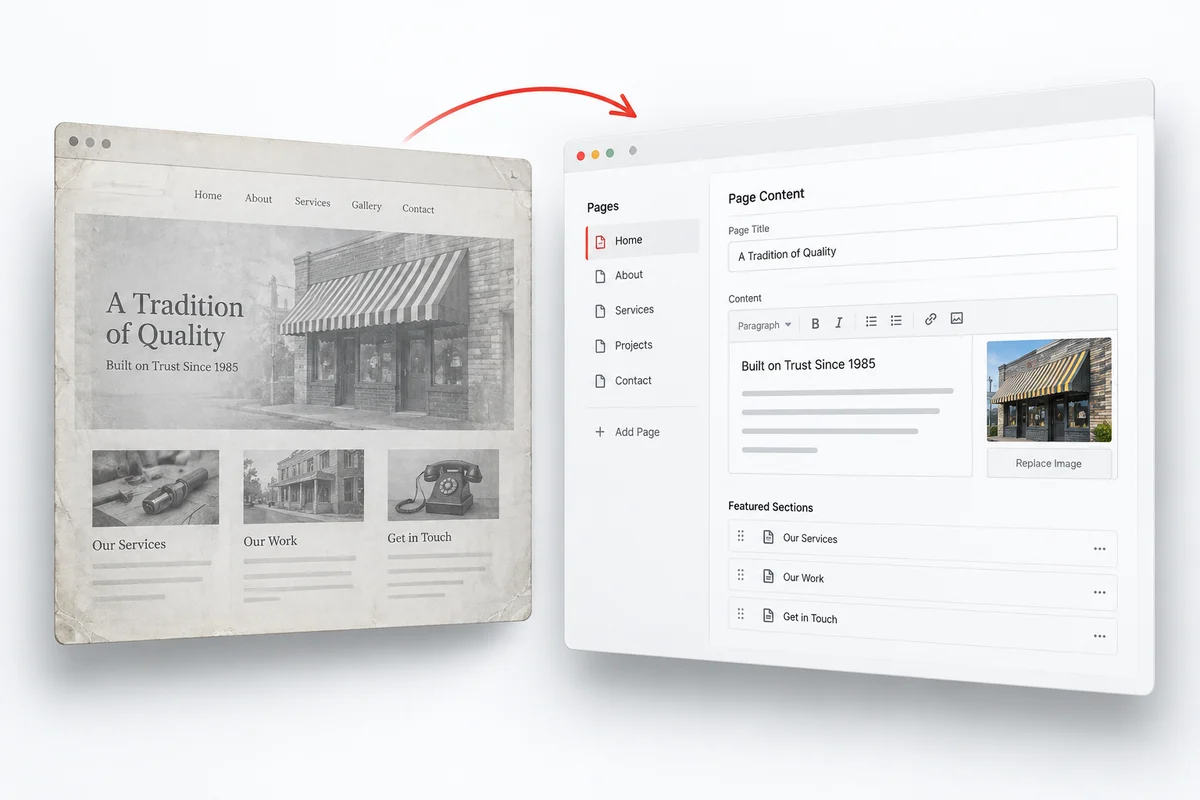
Concept illustration, not a completed client project.
PLAN THE REBUILD
Built around content you can maintain
A WordPress rebuild gives recovered pages a current content-management structure. Agree the editing approach before work starts: maintaining text and media is different from redesigning page layouts visually.
Content and structure come first
We review recoverable text, images, navigation, and historical page paths before rebuilding. Important URLs should be identified early so the new structure can retain them where practical. A rebuild may use a new theme and current functionality rather than the original installation.
A new WordPress site is not the old database
Public snapshots do not provide original users, passwords, plugin settings, database records, or the original theme project. Accounts, forms, search, and other dynamic features need fresh configuration or another authorised source. Archived page content and private system data are different things.
Choose the right editing workflow
WordPress supports ongoing content management. If your priority is visual page-layout editing, ask about the Elementor service instead. Tell us how you plan to maintain the rebuilt website so the target format fits your team.
Public archive evidence and recovery limits
Available captures determine the recovery evidence. Missing assets and original systems need your files, an agreed reconstruction or fresh configuration.
What the archive can provide
- Captured public pages and article content
- Available media and navigation references
- Historical paths for permalink planning
What needs another source or new work
- Old user accounts and passwords
- Original theme files and plugin settings
- Uncaptured database tables and private content
Read the recovery scope before confirming essential pages and functions.
A CLEAR REBUILD PLAN
From archive evidence to WordPress
Identify useful content
Choose the archive period and list pages or articles that should return.
Plan the structure
Agree navigation, page types, media placement and historical permalinks.
Build in WordPress
Reconstruct the agreed content in a fresh CMS environment.
Review editing and delivery
Check links and pages, then confirm how your team will maintain the site.
From archive evidence to a new WordPress installation
Begin with the capture period and the pages that matter most. The rebuild uses available content to establish page structure, navigation, and media placement in a fresh WordPress environment. Historical paths should be reviewed before choosing new slugs. The destination site then needs its own current settings and functionality; it is not a recovered copy of the original database.
Agree the content migration and handover
Specify which pages or articles should become editable WordPress content, which images can be reused, and how the navigation should connect them. Discuss any blog taxonomy, downloadable files, and URL continuity that matter to the project. Handover should distinguish restored content from newly configured components and explain where your team will edit the site.
QUESTIONS BEFORE YOU ORDER
Questions about the WordPress rebuild
Clarify the scope before ordering. Share the archive link and the requirements that matter to your project.
No. The Wayback Machine preserves public responses, not a full WordPress backup. Original administrator accounts, passwords, database tables, theme settings, and plugin configuration cannot be inferred from a page snapshot. If you hold a hosting backup or authorised export, mention it because that is a separate recovery source.
No. Backup restoration uses the original files and database. Archive-to-WordPress restoration reconstructs a new website from the public material that survives. It may preserve useful content and structure without reproducing every technical detail of the original installation.
Choose WordPress when editable content management is the main requirement. Choose Elementor restoration when visual section and layout editing is central to your workflow. Tell us who will maintain the site and what they need to change so the delivery format matches their skills.
Provide the important landing-page and article paths before the rebuild. Retaining useful URLs where practical can reduce avoidable disruption; approved URL changes may need redirects. Content recovery alone does not restore rankings. The new site still needs accessible pages, accurate metadata, sound internal links, and an indexable configuration.
Available captures can guide the public layout without supplying the old theme files. The new implementation and any visual differences should be agreed. Licensed themes, custom code and premium components need an authorised source or a separately approved replacement.
No. Specify the articles, category structure and media that belong in the project. Their public content must be available in captures or supplied files. A restored page is not proof that an entire historical posts database exists.
Give recovered content a new WordPress home.
Tell us which pages matter and who will update the rebuilt website.
Share your domain, important pages, and preferred format. We can discuss the available material and the scope of your rebuild. For the range of output formats, explore our website restoration services.