
Editable sections
Recreate content as Elementor layouts.
Responsive priorities
Plan practical layouts across devices.
Manual review
Check the agreed rebuild and its gaps.
Your archived website. Editable again.
An editable rebuild, not an imported screenshot
Elementor restoration reconstructs page sections using the captured website as a reference. The goal is a site you can maintain visually, rather than a fixed picture of an old page. The published service price is $149; confirm the page list and design scope before ordering.
Captured public text, images and layout references become a new, editable Elementor build. Tell us which details must remain familiar and which can be updated.
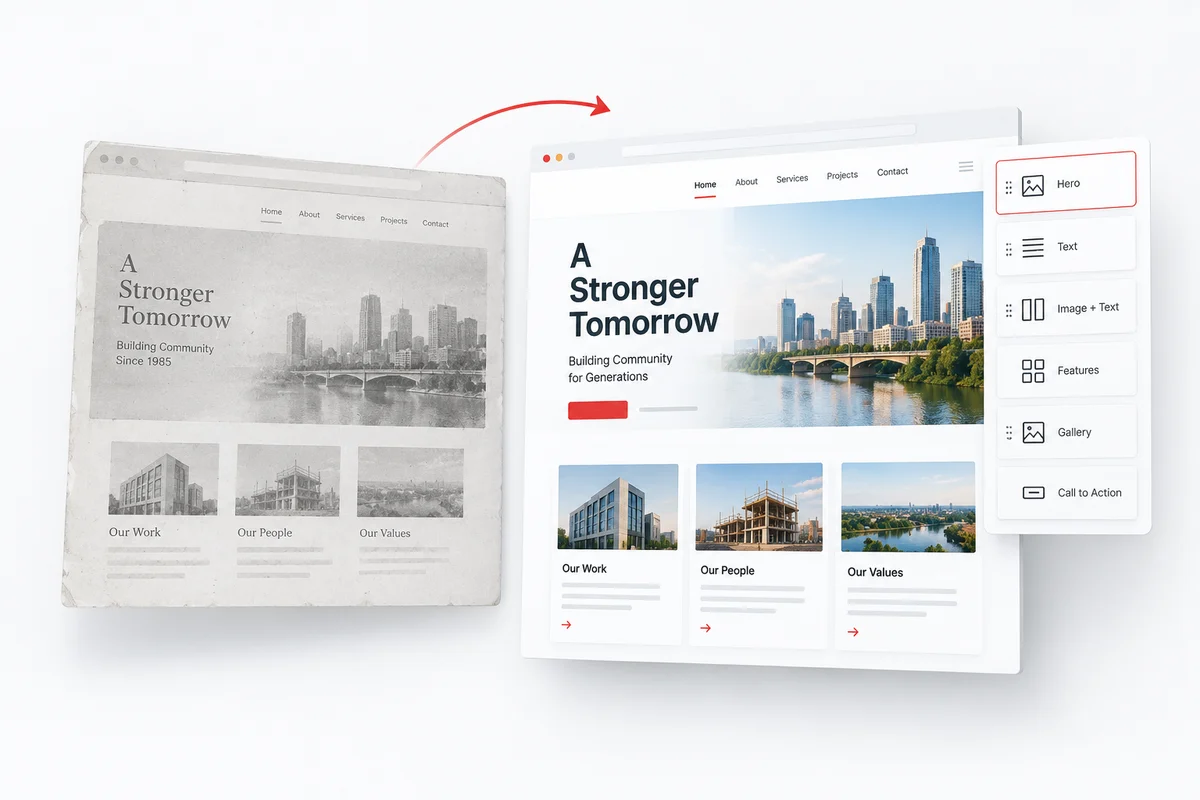
Concept illustration, not a completed client project.
PLAN THE REBUILD
Built for the way you update your website
Rebuild available archive references as practical Elementor sections, with a consistent structure for later content and layout changes. The result is a new implementation, not an imported image of an old page.
Recover the reference; rebuild the layout
Archive captures can preserve visible text, images, navigation, and styling clues. They do not supply the original Elementor widgets, templates, responsive settings, or project data. These must be recreated in a new build using the material that remains available.
Plan the parts you will edit
Tell us which pages, shared areas, and calls to action matter to your business. Explain whether you want a faithful reconstruction or a refreshed layout. A consistent editing approach makes later updates simpler than a collection of disconnected, static page fragments.
Agree new functionality separately
Forms, integrations, account areas, and commerce depend on current services and configuration. A visible archived interface does not recover its backend. Include these requirements in the brief so the restoration scope distinguishes recovered content from new development.
Public archive evidence and recovery limits
Available captures determine the recovery evidence. Missing assets and original systems need your files, an agreed reconstruction or fresh configuration.
What the archive can provide
- Captured public text, images and media
- Visible layout and navigation references
- Historical URLs and page relationships
What needs another source or new work
- Original Elementor widget trees and templates
- Responsive settings absent from captures
- Private databases and third-party integrations
Read the recovery scope before confirming essential pages and functions.
A CLEAR REBUILD PLAN
How the Elementor rebuild works
Review the references
Identify useful snapshots, essential sections and incomplete assets.
Agree editable areas
Plan page-specific sections, shared templates and the design direction.
Rebuild in Elementor
Recreate the agreed content using editable page-building components.
Check and hand over
Review layouts, navigation and configured functionality before delivery.
Reconstruct the page as editable Elementor sections
Archived pages supply a visual reference, not an Elementor project file. The rebuild translates available content and layout evidence into a new WordPress page structure. Define the sections that must stay recognisable, then identify where current mobile behavior or clearer calls to action are needed. Content and layout should remain maintainable rather than being flattened into a single image.
Plan page-specific and shared editing areas
Agree the page list and which elements belong in shared templates, such as a header or footer. Identify repeatable patterns and the parts your team needs to edit independently. Shared structures can keep updates consistent, while page-specific sections can reflect different content requirements. Confirm these template requirements within the service scope before ordering.
QUESTIONS BEFORE YOU ORDER
Got Elementor restoration questions?
Clarify the scope before ordering. Share the archive link and the requirements that matter to your project.
Not from public archive snapshots alone. The original widget tree, saved templates, editor settings, and responsive breakpoints are not a public website backup. They need to be recreated in the new installation, unless you can provide an authorised export or backup that contains them.
An archived page may have missing fonts, images, styles, or incomplete capture evidence. Discuss which visual details are essential and which may be updated. A faithful reconstruction and a refreshed design are different briefs; neither should be promised as pixel-exact before the available material is assessed.
Old desktop captures do not establish how every section behaved on smaller screens. Agree responsive priorities such as readable copy, navigation, media proportions, and usable buttons. Forms, embeds, and integrations need current configuration and testing rather than an assumption that their archived appearance restores their behavior.
Confirm any Elementor Pro features, premium plugins, and ongoing licence responsibilities before work starts. The $149 service listing should not be interpreted as an unspecified lifetime licence for third-party software. Share the existing WordPress environment and required integrations through an appropriate secure channel, not in a public enquiry message.
We can compare available captures and use surviving assets you supply. Missing styling may require manual reconstruction, and unavailable imagery may need an approved replacement. Identify brand-critical details before agreeing a faithful rebuild or a refreshed design.
Agree which elements need visual editing and which belong in shared templates. Ordinary page content should not be flattened into a screenshot. Custom integrations and specialised widgets may have separate editing requirements, so include them in the brief.
Ready to rebuild in Elementor?
Share your archive URL and the sections your team needs to edit.
Share your domain, important pages, and preferred format. We can discuss the available material and the scope of your rebuild. For the range of output formats, explore our website restoration services.