
Published by Wayback Downloader.
To recover missing images from the Wayback Machine, identify their original resource URLs, check accessible captures of those resources and inspect the actual files. Compare image variants and dimensions before deciding how to use them. If no suitable original survives, request an authorized owner-held file or approve a clearly identified replacement.
Prefer to skip the manual work? We can download your archived site as clean HTML with archive code removed and links fixed. You can also request a free check of what the archive saved first.
A broken picture in a replayed page does not prove that every version of its image is absent. Conversely, a recovered thumbnail does not establish that the full-resolution original can be obtained.
Find the resource address, not only the page address
Use the acquired page source and stylesheets to identify where the image was referenced. Check ordinary image sources, responsive candidates and CSS background-image URLs. Keep the containing page or stylesheet address so relative references can be interpreted correctly.
MDN's image-element reference distinguishes src and srcset: a page can offer several candidate files rather than one image URL. The visible placeholder in a replay does not identify all those candidates for you.
Do not guess an unlimited series of filenames. Start with addresses actually present in source material or supplied by the owner. A name such as photo-small.jpg may suggest that another variant existed, but it does not prove its address or availability.
Record images used as backgrounds separately from inline content. A logo, decorative texture and product photograph have different importance and replacement requirements even if all are image files.
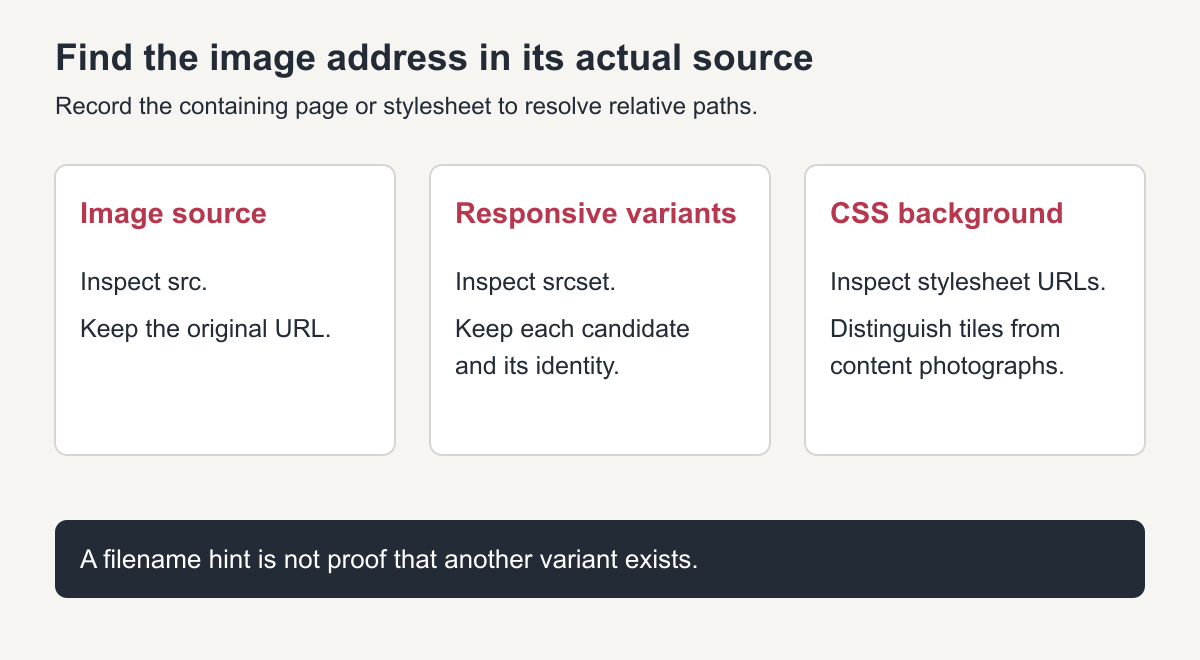
Original source-location diagram. These are reference types, not screenshots of a customer website.
Check the original image URL and relevant capture dates
Inspect accessible captures of the known resource address. The Internet Archive's Wayback help recommends investigating the original URL of an unavailable image. Examine relevant dates near the approved page version and record the source of any useful file separately.
Open the actual resource and confirm that it is an image of the expected subject. An error document saved under a .jpg filename is not a recovered JPEG. Check the file's dimensions and whether it decodes in an appropriate viewer or image tool.
If another date supplies a file, compare it with the intended version. A later logo or different product shot may not be an appropriate substitute. Keep timestamps and compatibility decisions visible rather than calling all the material one simultaneous snapshot.
For broader mixed-source decisions, use the incomplete-capture gap register. Its purpose is to record what evidence supplied an item and where the owner approved replacement work.
Keep thumbnails, originals and backgrounds distinct
Record the actual pixel dimensions rather than inferring resolution from a filename or displayed size. A small file stretched across a wide content area remains a small source. Cropping, sharpening or upscaling can change its presentation, but cannot establish recovery of an uncaptured original.
Compare aspect ratio and crop. A thumbnail might omit meaningful details visible in a larger version. A background asset might be a repeating tile rather than a complete hero photograph. Select the file according to the content and intended placement, not simply the largest byte count.
Do not replace a missing product or staff photograph with a generated lookalike and describe it as recovered. Owner-approved new imagery is a different contribution and should be recorded that way.
Use an asset manifest with real findings
This example is an unfilled assessment worksheet. Its resource addresses are illustrative; it does not report successful captures, dates or dimensions for a real website.
| Original resource example | Intended role | Captured file | Dimensions | Source date | Current finding |
|---|---|---|---|---|---|
/images/logo.png |
Brand mark | Record only after inspection | Measure actual file | Observed capture timestamp | Unassessed |
/uploads/service-photo.jpg |
Service illustration | Record usable copy or absence | Measure actual file | Observed capture timestamp | Unassessed |
/images/product-thumb.jpg |
Product thumbnail | Keep variant identity | Measure actual file | Observed capture timestamp | Unassessed |
/css/assets/texture.png |
Decorative background | Record file referenced by CSS | Measure actual file | Observed capture timestamp | Unassessed |
Add the containing source page, full original URL, local destination, permission record and replacement decision to your actual inventory. Keep unchanged originals and optimized delivery copies separate. That makes it possible to trace a compressed or resized file back to its real source.
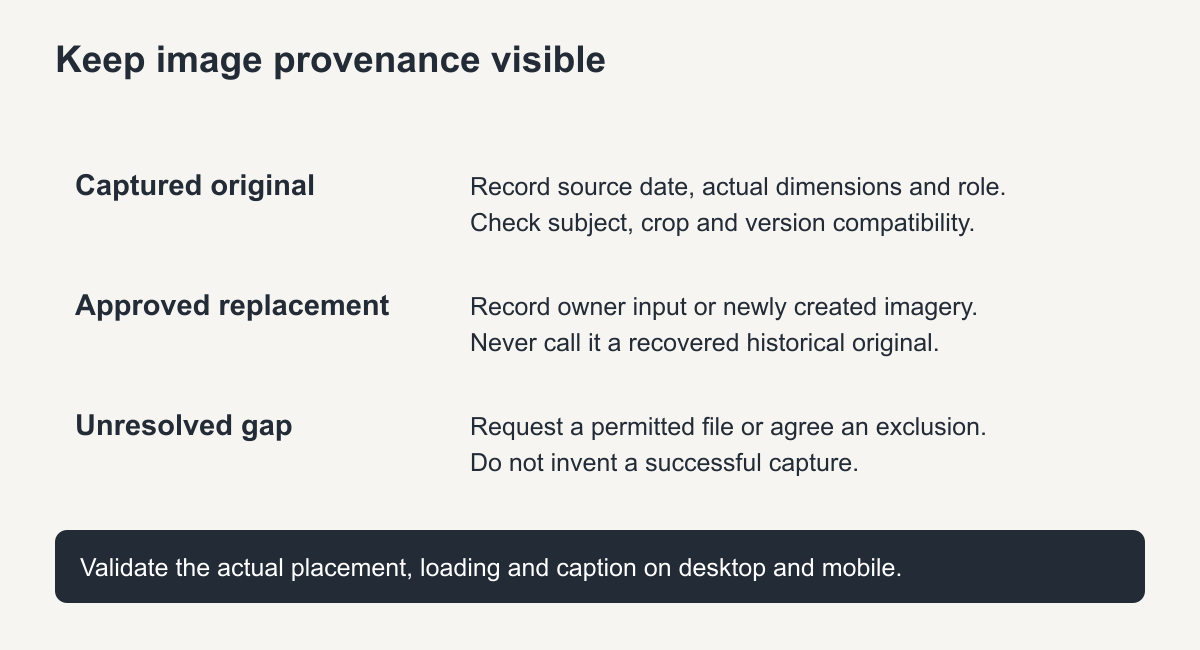
Original provenance guide. Generated or owner-supplied replacements are not captured historical originals.
Restore references and validate placement
Map usable images into the package or CMS media library without losing their source identity. Update the references that actually use them, including responsive variants and stylesheets where relevant. A correct inline src does not repair a separate broken background URL.
Preview the intended pages at desktop and mobile sizes. Check the crop, displayed scale, image loading and whether an old caption still describes the supplied file accurately. Give meaningful content images appropriate alternative text; do not repeat keywords instead of describing their purpose.
If a required image remains missing, document the decision: investigate a particular additional source, use a permitted owner file, commission an approved replacement, or remove the image from the agreed scope. The owner should understand whether that decision changes historical accuracy or the intended message.
The HTML acquisition and packaging guide places image recovery within the larger file workflow. Where image retrieval and reference repair are part of a paid HTML restoration scope, ask which assets were inspected and which still require your input.
The useful result is not an impressive folder of pictures. It is an inventory of the right, permitted files, their actual quality and provenance, and the pages on which they have been checked.
Recover missing images from the Wayback Machine: quick checklist
- Open the page source in the archive and copy the exact image address.
- Search the archive for that address and check other capture dates.
- Try the original file name without size suffixes, which is often the full-size upload.
- Look for the image in older or newer versions of the same page.
- Check social profiles, old emails and printed material for copies you own.
- If nothing survives, replace the image and record the gap.
Naming and alt text for recovered images
Give each recovered image a clear file name that describes its content, and write alt text that explains what the image shows. This helps visitors who use screen readers and gives search engines context the archive copy often lacked.
Keep originals of every recovered image in a separate folder before resizing, so you can create new sizes later without quality loss.
Videos follow different rules from images: the archive often kept the page but not the stream. Our guide on downloading video from Wayback Machine captures explains how to check and save them.
A practical order of work: list the broken image URLs from the downloaded pages, check each one in the capture list, and only then recover missing images from the Wayback Machine one resource at a time, noting which files truly have no surviving copy so nobody keeps searching for them.
Frequently asked questions
Why can I see the page but not the images in the archive?
The crawler saved the page but not every file it referenced, especially images from other domains or loaded by scripts.
Can I recover missing images from the Wayback Machine in full size?
Sometimes. If the original upload address was captured, the full file is available; otherwise only the displayed size may survive.
What if the archive only has a thumbnail?
Use it as a reference to find or recreate the image. Enlarging a thumbnail usually gives a blurry result, so a replacement is often better.