
Published by Wayback Downloader.
Moving archived HTML to editable WordPress is a content-modelling job, not a file copy. Converting archived HTML into editable WordPress means separating its content and layout, assigning each part to a suitable CMS structure, and verifying that the owner can change the promised elements through the chosen editor. Putting an entire HTML page inside a code block can preserve markup, but it is not equivalent to rebuilding its headings, text and images as native editable components.
Prefer to skip the manual work? We can HTML ZIP download service with archive code removed and links fixed. You can also request a free Wayback archive check first.
This guide starts with an existing HTML package. Archive discovery and missing-source decisions belong to the acquisition stage; conversion should work from an inspected, agreed collection rather than quietly inventing absent pages.
Audit the supplied files before importing content
List page files, associated media, stylesheets, scripts and document downloads. Keep the original source-to-file manifest and an unchanged copy. Identify incomplete pages, duplicated layouts, archive replay references and obsolete external dependencies before selecting an import method.
Open representative page types through a suitable preview. Check a nested page as well as the homepage. A collection that relies on an old domain's CSS or images needs those dependencies assessed before it can provide a reliable conversion reference.
The HTML package guide explains the acquisition and delivery checks. Conversion does not retroactively prove that the source collection was complete.
Separate shared structure from unique content
Mark the repeated header, navigation, footer and other common elements. Keep each page's own heading, text, images and useful semantic structure separate. Recreating the same footer inside every content record makes later maintenance needlessly difficult.
Choose where shared elements belong in the destination theme or template system. Confirm their display scope: one service page, a group of articles, or the whole site. Do not assume that a reusable component is automatically shared everywhere merely because two pages look alike.
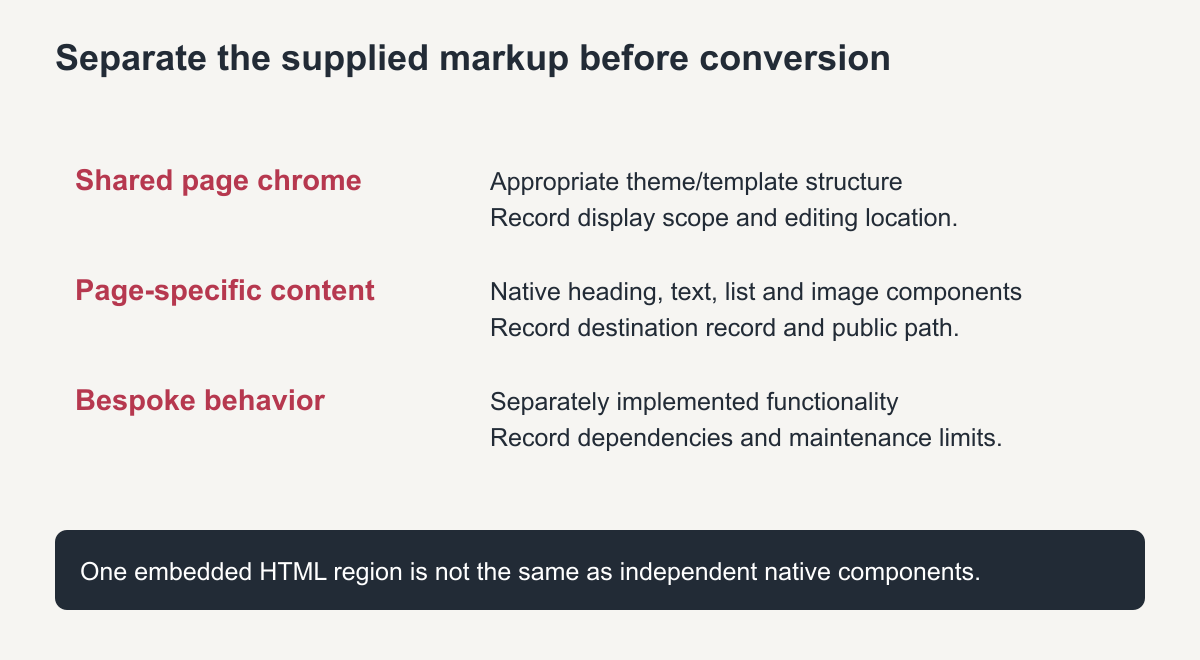
Original conversion map, not a screenshot of an imported customer site.
Choose the editing depth explicitly
The WordPress block documentation describes distinct content blocks and their controls. Mapping a recovered heading to a Heading block and a photograph to an Image block creates different editing affordances from storing both inside one custom HTML region.
WordPress's Custom HTML documentation explains code-based editing and capability-dependent handling. That block is useful for appropriate markup, but its presence does not establish native visual control of every internal element. Available controls can vary with WordPress version and user permissions.
| Supplied element | Possible destination | Acceptance question |
|---|---|---|
| Main page heading | Native heading component | Can the owner change its text without modifying markup? |
| Body paragraphs and lists | Native content blocks | Are separate items editable and structurally intact? |
| Content photograph | Media item and native image component | Can the image and alternative text be changed independently? |
| Repeated page chrome | Shared theme/template component | Is its editing location and scope documented? |
| Complex bespoke interaction | Separately implemented component | Are its behavior, maintenance and code-managed limits stated? |
| Entire recovered page markup | Embedded HTML, if explicitly agreed | Is limited code-based editing acceptable to the owner? |
These are options, not a claim that every conversion uses blocks. For native Elementor delivery, use the agreed containers and widgets instead and test those editing controls. Name any sections that remain code-managed.
A reproducible text-and-image acceptance demonstration
Use this test on an authorized private staging page or a demonstration supplied by the implementer. It is an acceptance exercise to reproduce, not a report of work performed on your website. Interface positions vary by installed editor and version.
- Choose a representative converted section with a heading, paragraph and content image. Record which native components hold them.
- Change a short heading to “Demonstration heading” through its ordinary content control, without editing HTML.
- Replace the content image with a permitted test image of a different aspect ratio. Update its alternative text through the image control.
- Save the private test page and reload both editor and preview. Confirm the change persists, the caption remains accurate and the image is not distorted.
- Check the section at desktop and mobile widths. Confirm neighboring content and any other page using shared structure remain appropriate.
- Restore the original approved content on that test copy and record the actual results, editor, version and any limitation.
If the only way to make the change is to rewrite a large HTML string, report that as the editing limitation rather than marking a native-editing requirement passed. A developer's ability to edit source is not the same as the customer's agreed maintenance task.
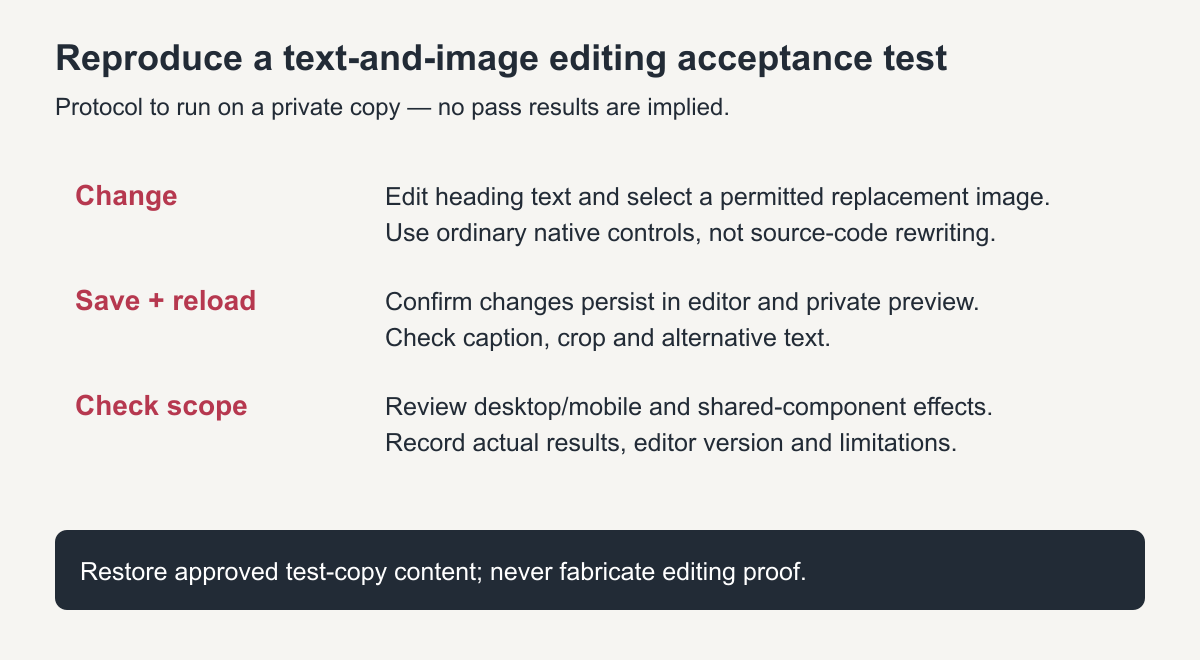
Original acceptance-test diagram. It specifies checks to perform; it does not present fabricated pass results.
Map media, navigation and historical paths
Keep an explicit old-to-new content map with original URL, supplied file, destination record and final public address. Import permitted media with useful filenames, provenance and appropriate alternative text. Avoid making two visually similar pages compete for the same intended URL.
Build navigation against actual destination records. Rewrite body links only after their targets are known, and preserve meaningful fragments or document-version distinctions. Retest links from nested pages through the deployed arrangement.
Retain useful historical paths where agreed and feasible. If the chosen WordPress structure changes one, record the decision and the required routing or redirect handling. Changing a file's name alone does not configure a redirect.
Retain old CSS and JavaScript only with a reviewed purpose
Legacy styles can inform the reconstruction or support a limited conversion, but they may depend on historical markup and resource paths. Reused scripts may expect an absent backend or obsolete third-party configuration. Assess compatibility and permitted use instead of copying everything into the destination blindly.
Public HTML does not import the original WordPress theme's source, database or plugin configuration. A new theme or component implementation must be described as new work. Test forms and interactions separately from their appearance.
For a scoped WordPress restoration and conversion service, ask for the content map and a representative editing demonstration before accepting delivery. The useful outcome is a site the owner can maintain in the promised way, with its historical paths and implementation limits clearly documented.
Archived HTML to editable WordPress: what to expect after conversion
After the move, each page is edited in the WordPress editor instead of in code. Menus are managed in one place, new pages can be added without copying files, and plugins add forms and SEO settings. The trade-off is ongoing upkeep: WordPress, its theme and its plugins need regular updates, which a static HTML site never did.
Plan for this from the start: choose a well-maintained theme, keep the plugin list short and turn on automatic backups, so the converted site stays easy and safe to run. Planned this way, archived HTML to editable WordPress conversion leaves the owner with pages they can update without touching code.
Frequently asked questions
How long does converting archived HTML to editable WordPress take?
It depends on the number of distinct page layouts more than the page count. Sites built from one or two templates convert much faster.
Will the WordPress site look exactly like the archive?
It can look very close. Some details change when old code is replaced with a modern theme, which also makes the site responsive.
Can I keep the old URLs after converting to WordPress?
Yes. Set the permalinks and page slugs to match the old addresses, and redirect any that cannot match.