
Published by Wayback Downloader.
Preserve old website URLs by inventorying important historical addresses, retaining their meaningful paths where practical, and explicitly mapping necessary changes to appropriate current destinations. Update internal links and canonical references, then test actual responses. Redirecting an old hostname requires authorized control of the system answering that hostname; a new website alone cannot install redirects on someone else's host.
Prefer to skip the manual work? We can Wayback Machine to HTML download with archive code removed and links fixed. You can also request a free archive review first.
URL continuity can help visitors follow existing references. It does not guarantee the return of former search visibility, traffic or backlink value.

Identify the addresses that matter
Start with known service pages, articles, product pages and useful downloads. Add owner-held content exports and authorized evidence of important visits or links when available. Record the complete original addresses rather than retaining only titles or last path segments.
Prioritize destinations that still satisfy the original reader task. A historical address for a discontinued offering may need a different decision from one containing still-useful documentation. Keep accepted recovery evidence, current relevance and final URL handling as separate fields.
Preserve meaningful paths where the destination supports them
A new CMS does not require every useful old address to change. Assess nested paths, slugs and extensions against the current routing arrangement. For example, a WordPress site can be configured to serve an agreed .html path through appropriate routing, but the specific implementation and conflicts must be tested. Merely creating a similarly named post is not proof that the exact old address works.
Check path case, trailing-slash handling, query identifiers and fragment targets. Avoid collapsing distinct content into one route because two names look similar. Use the reference-repair workflow to connect body links to established destinations after these decisions are made.
Map necessary changes with reasons
This is an illustrative source-to-destination map using example.com. Status values describe intended behavior to test, not an implemented customer migration.
| Historical address | Intended destination | Intended status | Reason |
|---|---|---|---|
/about.html |
/about.html |
200 at retained path | The useful page can remain at its original address |
/services/old-name.html |
/services/current-name/ |
Permanent redirect where authorized | An approved rename retains the same reader task |
/guide-a.html and /guide-b.html |
/complete-guide/ |
Relevant permanent redirects if genuinely consolidated | Accepted content now has one complete equivalent destination |
/discontinued-offer.html |
No equivalent page | Appropriate not-found handling | An unrelated homepage is not a meaningful substitute |
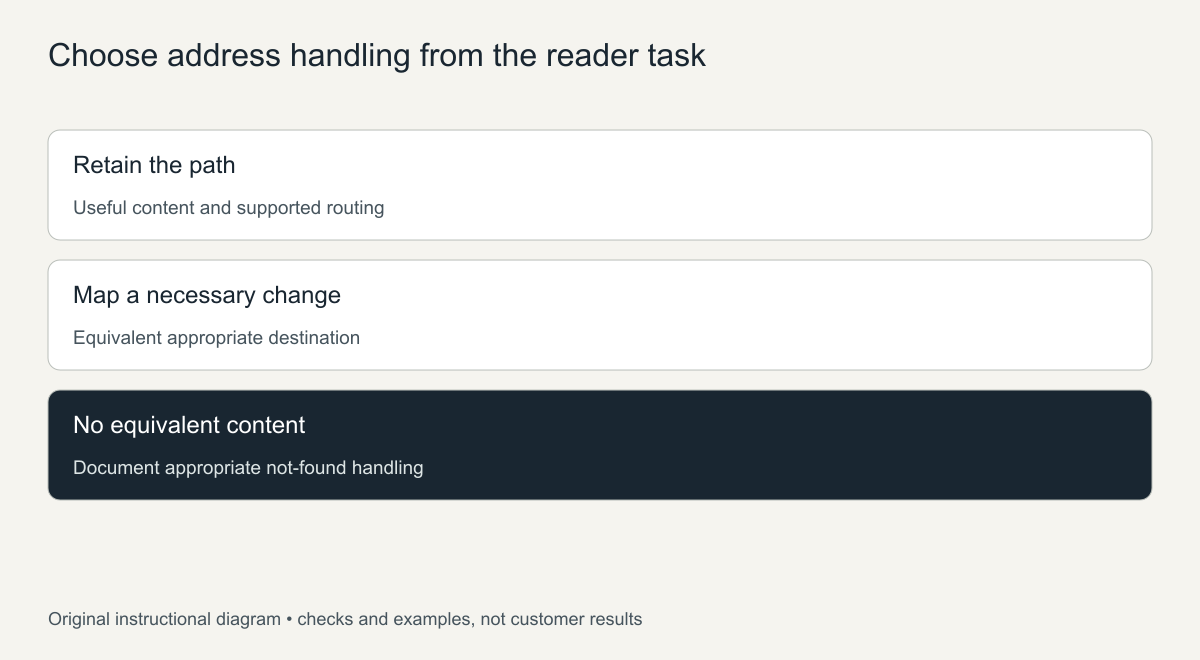
Original mapping guide. Proposed response handling still requires actual implementation and verification.
Google's site-move documentation describes mappings and permanent redirects when addresses change. Avoid redirect chains, loops and blanket moves to an irrelevant homepage. When several pages are genuinely consolidated, the final page should satisfy the relevant old tasks rather than merely receive their traffic.
Understand the old-domain control requirement
To redirect requests for an old domain, the owner must be able to arrange the authorized hosting or edge system that receives those requests, including a working HTTPS setup for secure requests. Controlling only the new domain does not provide that capability.
If the old domain is expired, unavailable or controlled by another party, document the limit. You may still rebuild permitted content elsewhere and update links you control, but cannot promise that unknown external links to the old host will forward. Domain registration, DNS control and page reconstruction are related responsibilities, not interchangeable ones.
For a new hostname, the new-domain restoration guide separates content permission, destination paths and old-host routing control.
Update current references instead of relying on redirects everywhere
Once the destination map is accepted, point navigation and contextual links directly to the intended current pages. Update canonical annotations and the current sitemap consistently. Check media and download references too; retaining page paths while breaking their files is not a complete handover.
A canonical link does not configure an HTTP redirect. It expresses a preferred content address, while the routing system determines what happens when a visitor requests the old path. Inspect both layers rather than treating one as a substitute for the other.
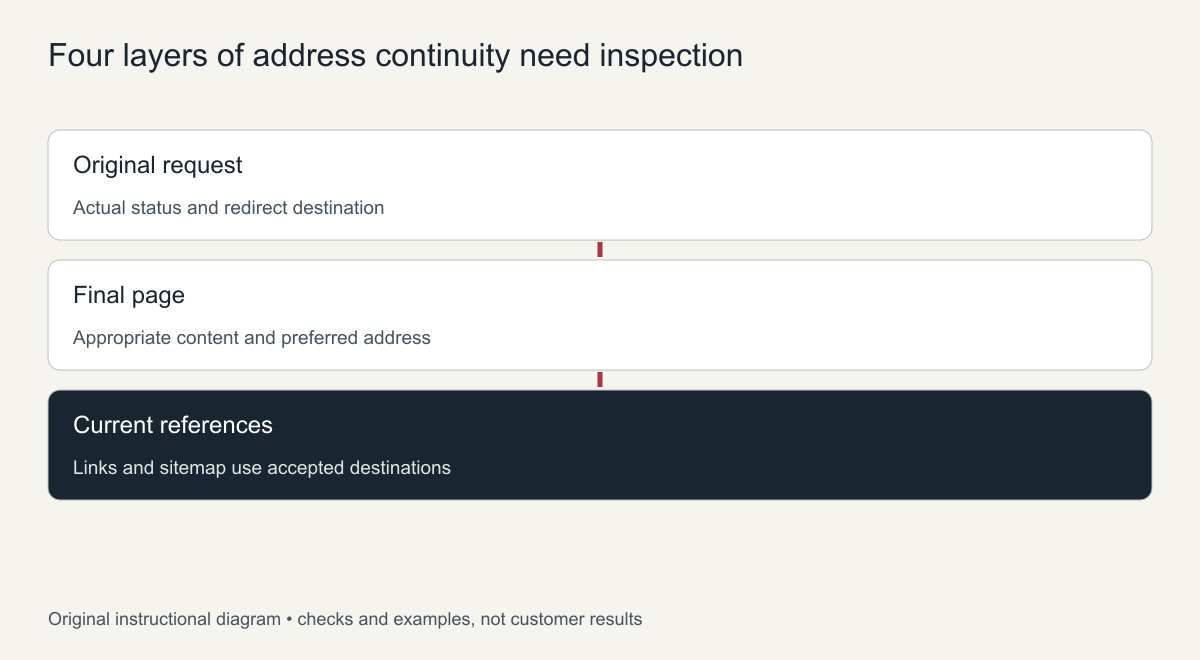
Original verification plan, not a passed migration report.
Test the actual deployed behavior
Request representative original URLs directly, including nested pages and meaningful variants. Record their HTTP status, redirect destination and final response. Confirm the destination serves the appropriate content, has the intended canonical and does not loop or lead through avoidable intermediate addresses.
Retest links from the actual deployed pages and reconcile the results with the mapping inventory. Keep unresolved domain-control issues distinct from page implementation defects. The restoration process should document path preservation and necessary changes as part of delivery, without calling a successful routing test proof that former rankings have returned.
How to preserve old URLs: a working method
- Export the full old URL list from the archive, an old sitemap or Search Console before building anything.
- Match the permalink structure. In WordPress, set permalinks to the pattern the old site used, such as date-based or post name, so paths line up automatically.
- Fix the exceptions one by one. Pages with unusual addresses can keep them with a custom permalink plugin or an exact redirect.
- Respect details. Trailing slashes, upper or lower case and file endings such as .html all count as part of the address.
- Test every old URL on the finished site and record the result.
301 or 410: handling URLs you will not rebuild
Not every old page deserves to return. If a page has a close replacement, use a 301 redirect so visitors and links reach it. If a page is gone on purpose with no equivalent, a 404 or 410 status is honest, and a 410 tells crawlers the removal was intentional. Avoid redirecting everything to the homepage; search engines often treat that like a missing page anyway, and visitors lose their place.
Testing old URLs at scale
For sites with more than a few dozen pages, test old addresses in bulk rather than by hand. A crawler or link checker can load each URL from your list and report its status code and final destination. Pages that return 200 are preserved, pages that return 301 should land on the right replacement, and anything that returns 404 needs a decision. Run the test before launch on a staging copy and again after launch on the live domain, since server settings can differ between the two.
Keep the test results with the project files. If rankings or traffic change after launch, the record shows exactly which addresses were preserved, which were redirected and which were retired, which makes any later investigation much faster.
Frequently asked questions
Why preserve old URLs instead of creating new ones?
Old addresses carry links, bookmarks and search history. Keeping them means that value reaches the restored pages without depending on redirects.
Do redirects lose SEO value?
A correct 301 redirect passes visitors and signals to the new page, but keeping the original URL is simpler and avoids redirect chains.
Can I preserve old URLs that ended in .html in WordPress?
Yes. A custom permalink or a redirect rule can serve the page at the old .html address, so links keep working.