
Published by Wayback Downloader.
Yes, a website can be newly rebuilt with native Elementor elements when its original template exports are unavailable, provided enough usable public evidence or owner-supplied material exists. The work reconstructs an agreed appearance and editing structure; it does not recover the original Elementor document merely by importing a replayed HTML page.
If you want an editable site instead of raw files, see our Wayback-to-WordPress rebuild. You can also request a free check of what the archive saved first.
Before rebuilding, check authorized backups, template exports and site kits. A suitable original export may preserve implementation details that a public capture does not, but its actual contents and dependencies still need inspection.
Know what the public capture establishes
A captured page can supply visitor-facing wording, visible arrangement and available images or styles. It does not establish original container hierarchy, widget settings, display conditions or global style records. A private export could have been publicly linked, but a normal rendered capture is not itself that export.
Elementor's template export documentation distinguishes exported templates, content and settings. Those are structured artifacts, different from a screenshot or collected visitor-facing markup.
Keep the full reference for each accepted source. If desktop evidence is available but mobile evidence is absent, record that limit. The owner can approve a sensible new mobile arrangement without claiming that it was historically recovered.
Map visible sections into native elements
Inventory each required section's content, layout, images and behavior before implementation. Map the visible evidence into native elements appropriate to the actual Elementor version and agreed maintenance needs. Do not use a giant screenshot or HTML widget as a substitute for a promised native section.
| Visible section example | Proposed native structure | Separate decision |
|---|---|---|
| Heading, introductory copy and photograph | Container with heading, text and image widgets | Approved wording, source image and responsive arrangement |
| Repeated service items | Reusable arrangement of native content elements | What is shared and what is page-specific |
| Call-to-action | Native text/button elements | Current authorized destination |
| Header and footer | Appropriate shared template or theme structure | Editing scope, compatibility and dependencies |
| Enquiry form | Agreed current form implementation | Validation, recipients, notification and accepted tests |
| Custom application interaction | Separately scoped implementation | Required backend, data and code-managed limits |
This is a proposed mapping for a demonstration, not a report of a recovered customer's original widget tree. Elementor's container documentation explains nested and reusable native structures; the delivered site must show that it actually uses them where promised.
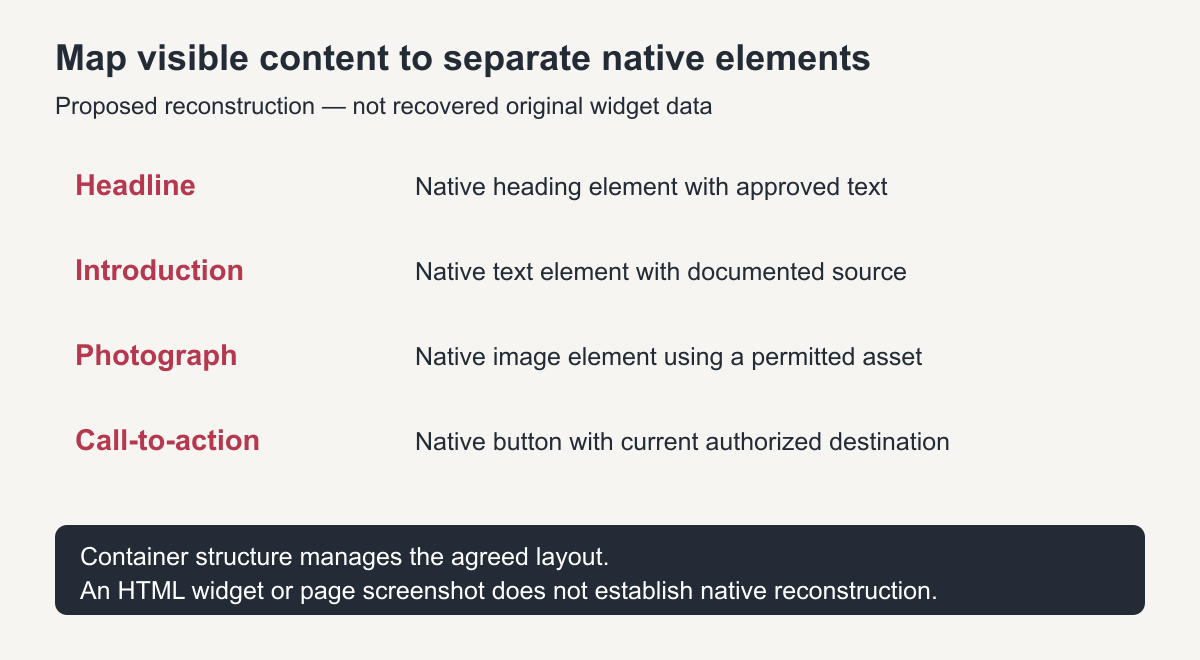
Original reconstruction map. It is not a generated editor interface or evidence of a completed client site.
Recreate shared design deliberately
Identify repeated colors, typography, spacing and page chrome from reliable evidence and permitted brand assets. Record whether a value is observed, owner-supplied or newly chosen. Do not describe estimated spacing or a substitute font as recovered original configuration.
Define where shared design is managed in the destination and which pages inherit it. A component duplicated into every page is not necessarily a centrally maintained template. Demonstrate the actual scope of a shared change before accepting that capability.
Check theme compatibility and any required paid features against the current installation and vendor documentation. Export availability and included structures depend on the actual artifact and plan; they should not be assumed from a generic JSON or ZIP filename.
Plan responsive behavior from evidence and requirements
Elementor's responsive-container guidance describes breakpoint-dependent direction, sizes and order. Those controls support a new implementation, but do not reveal the original site's unknown mobile decisions.
For each section, specify content order, image crop, readable text and button behavior at relevant widths. Where historical evidence is absent, obtain approval for the current responsive design. Avoid claiming pixel-exact fidelity when the source cannot support it.
Test intermediate widths as well as a desktop and narrow-phone view. Look for overflow, unusable tables, clipped content and mismatched device-specific sections. A builder preview alone is not the final deployed result.
Reproduce a native editing demonstration
The following exercise is an acceptance protocol to run on an authorized private copy. It has no fabricated pass results and is not a customer case study.
Create one sample section with native heading, text, image and button elements inside the intended container structure. Have the actual maintainer change the heading, select a permitted replacement image and change the button link without editing HTML. Save and reload the private preview, then confirm the changes persist.
Next, use the intended native layout controls to adjust the section's arrangement for a narrow screen. Verify the saved result at desktop, narrow and intermediate widths. Record the actual editor version, component hierarchy, tests and any code-managed exception.
If the section can only be changed by editing a single HTML widget, the demonstration has not satisfied a native-element requirement. If part of the page is deliberately code-managed, disclose that boundary rather than calling the entire site fully native.
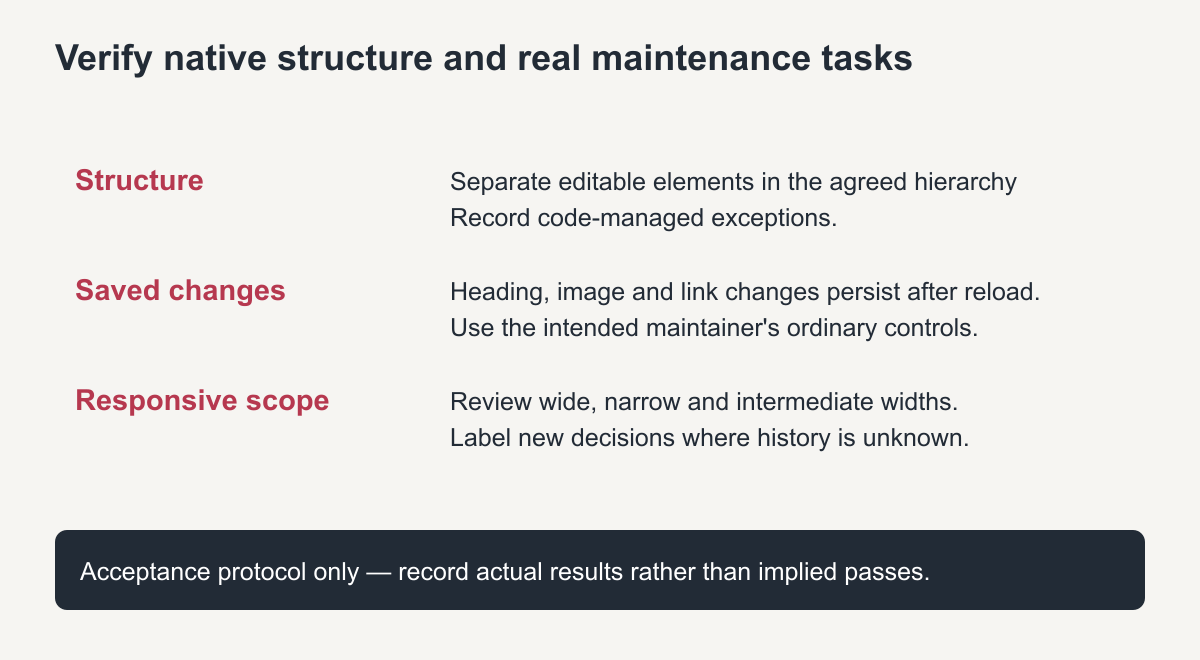
Original acceptance guide. A proposed test is not evidence that an unknown project passed.
Complete functions and handover separately
Appearance does not establish that forms, integrations or account behavior work. Implement those only from current authorized requirements and test their real outcomes. Old public markup is not a source for historical private users, orders or notification configuration.
Provide the accepted source inventory, missing-item decisions, native editing notes, dependency and license responsibilities, and backup arrangement. State what is newly implemented and what remains unresolved.
For native Elementor WordPress restoration, ask for the visible-section map and a representative native editing demonstration. An absent original template changes the method; it does not justify hiding limitations or presenting a new reconstruction as recovered original settings.
Rebuild an Elementor website faster with a section library
Most sites reuse a handful of section types: hero banners, feature rows, testimonials, call-to-action blocks and footers. Build each type once as a saved template, using global colours and fonts, then assemble every page from those pieces. When you rebuild an Elementor website this way, later edits happen in one place and every page stays consistent.
Matching the archived design closely
Open the archived page and the Elementor editor side by side. Measure spacing, column widths and font sizes from the archive with your browser’s inspector, then set the same values in Elementor’s global settings. Recreate one full page carefully before moving on, because the decisions made there apply to every page that follows.
Finally, preview every page on tablet and mobile in Elementor’s responsive mode, adjust spacing and font sizes per breakpoint, and check the pages in a real browser before publishing.
Frequently asked questions
Can I rebuild an Elementor website from the archive with the free version?
Often yes. Free Elementor covers most layouts. Pro features such as theme builder templates, forms and popups need a Pro licence.
Do I need the original Elementor template files?
No. They make the job faster, but the layout can be recreated from archived pages and the result stays fully editable.
How do I keep the rebuild light and fast?
Use global styles, avoid nesting many containers, compress images, and only add the widgets each page really needs.