
Published by Wayback Downloader.
A website not in the Wayback Machine is not automatically lost. If your website has no usable Wayback Machine capture, verify the original domain and known page addresses, distinguish a failed lookup from missing material, and search the authorized sources your team controlled. A host backup, content export or developer handover may still be useful. Other public crawl datasets can sometimes provide page evidence, but none should be treated as a guaranteed hidden backup.
Not sure what survived? Start with a free archive review before you download anything. Or see the prices for each format.
The aim is to establish what exists, not to repeat searches indefinitely. A documented absence of usable sources is a reason to plan replacement content or a fresh site, rather than promise recovery of unseen originals.
Start with the addresses the website actually used
Gather the domain, former subdomains and important page paths from your own records. Examples include a saved campaign landing page, an old menu, a developer's URL list or a link in a business document. Search those known addresses in the Wayback Machine, not just a remembered brand name.
Check known HTTP and HTTPS versions, the bare domain and its former www address, and any relevant subdomain such as a historical shop. These are candidate addresses, not an instruction to enumerate unrelated domains. Use evidence of the site's actual structure to keep the investigation bounded.
As an illustrative example, a business might have used www.example.com/services/ while its shop lived at shop.example.com/. A missing capture for https://example.com/ does not decide whether either of those separate addresses has useful material. Example.com here is a demonstration address, not a recovered customer site.
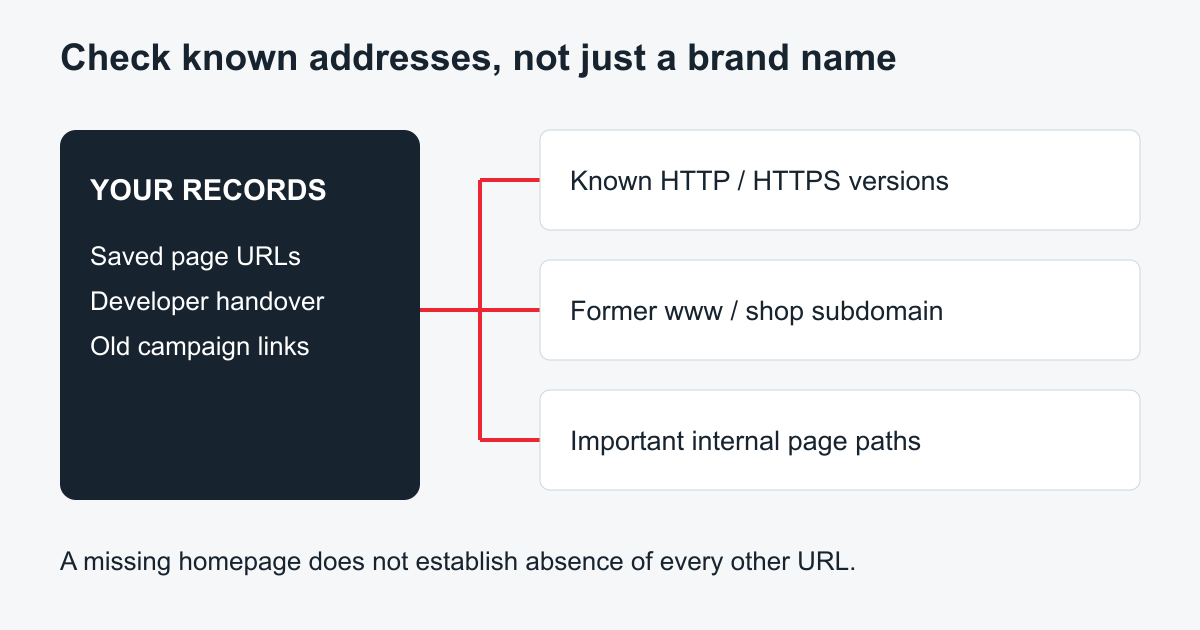
Original address-check diagram. Inspect only variants relevant to the historical website, and record the exact address searched.
If the homepage has no usable capture, try important internal URLs you already know. Conversely, one good internal page does not prove that a whole website can be recovered.
Website not in the Wayback Machine, or only a failed lookup?
Record what the interface actually says and whether you could reach it normally. A connection failure, temporary service problem, blocked access and a successful search with no useful result are different findings. Retry an ordinary failed lookup later or check the service's published status when relevant. Do not bypass access controls or browser security warnings.
When results exist, open them. A capture may be a redirect, parking notice or server error rather than the intended content. Record “no usable page found” when that is the evidence; do not rewrite it as “the archive never collected anything.”
The Internet Archive's Wayback guide describes how dependent resources and server-connected features can be incomplete. A page's presence and its usefulness are separate judgments. Searching an image's known original URL may locate a resource even when the page view did not load it.
Keep a short search log: original address, period checked, result, and next action. When the known homepage, essential internal pages and relevant address variants have been assessed, move to other sources instead of running unstructured searches.
Look for authorized copies outside the public archive
For a website not in the Wayback Machine, the most complete copies are usually the ones your own team, host or developer kept at some point.
Ask the former host about retained copies, and ask the original developer or agency about source files and delivery packages. Check your own storage for exports, original photographs, page-copy documents and downloadable files. Confirm permission to reuse material, especially when it came from a third-party designer or content supplier.
Different copies support different outcomes. A complete installation backup may enable original-system restoration. A content export may help recreate articles, while an image folder supplies no page structure. Screenshots help understand appearance but do not contain the code, editable records or backend represented on screen.
For WordPress material, verify files and database separately rather than assuming a downloaded folder contains both. The official backup handbook explains that distinction. Inspect copies privately before deciding they are suitable for deployment.
When Common Crawl is a reasonable additional check
Common Crawl is an independently collected web dataset, not another name for the Wayback Machine. Its getting-started documentation distinguishes raw WARC crawl records, computed WAT metadata and extracted WET text. A text record can help recover wording; it does not itself provide a visually complete site.
A technical investigator can check the dataset's URL index for known addresses and relevant crawl periods, then inspect any associated record. Confirm that the record contains the right page rather than a redirect or error. Assess linked assets separately. An index hit is a lead, not a finished restoration package.
Do not download an enormous crawl archive without a targeted retrieval plan. If you do not have the skills to identify and interpret the relevant records, ask for a scoped investigation. It may be more economical to use approved source copy than to pursue a speculative dataset search indefinitely.
This guide does not claim that your domain appears in Common Crawl or that a complete website was recovered from it. The decision matrix below shows how to evaluate a source if it is actually found.
Use a source-to-outcome decision matrix
| Available source | What it may contain | Next action | Important limitation |
|---|---|---|---|
| Complete authorized backup | Original application files and data | Assess version, completeness and a private restore | “Backup” in a filename does not establish contents |
| Content export | Structured page or article data | Inspect fields and map entries to current content | Media and platform settings may be separate |
| Developer files | Templates, assets or deployment source | Confirm permitted use and build requirements | The final published version may differ |
| Public crawl record | Captured response or extracted text | Verify URL, timestamp, response and dependencies | Collection is incomplete; no presumed private backend |
| Screenshot | Appearance and visible words | Use as an attributed reconstruction reference | Not editable structure or original software |
| Owner-supplied new material | Current approved text and imagery | Build a replacement site or missing sections | It is newly supplied content, not archive recovery |
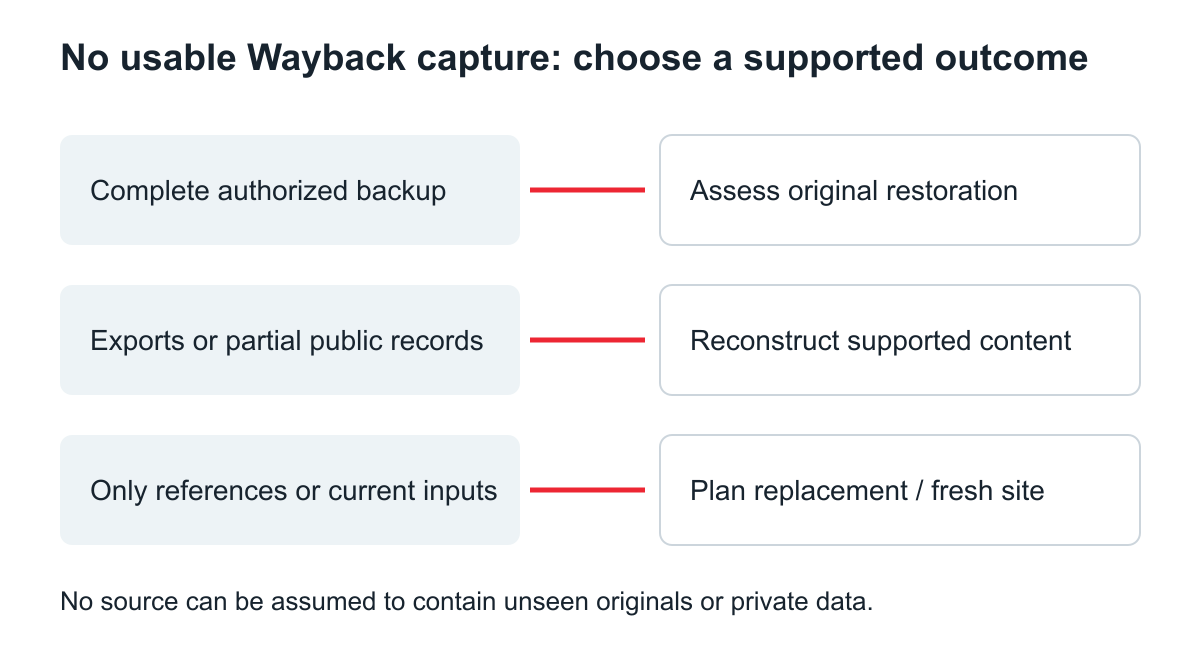
Original decision graphic. Select the outcome supported by inspected sources, not the outcome implied by a marketing label.
Decide when to reconstruct partially or start fresh
If only a few reliable pages survive, list them separately from the material that needs replacement. Preserve useful original copy where permission and relevance are clear, then write current missing pages with owner approval. Do not infer legal terms, staff identities or old prices from an incomplete layout.
When the evidence supports only a visual reference, describe the deliverable as a reconstruction or redesign. If there is no useful historical content, a new site is the honest option. The deleted-site source worksheet can help organize the remaining inputs before committing to a build.
Choose the format according to how the owner will maintain the result. WordPress restoration is relevant when supported content needs a new editable CMS destination, but selecting that service does not make absent originals available.
Can a screenshot replace the original website files?
It can guide a newly built layout or help transcribe visible text that you are authorized to reuse. It cannot reveal an unseen paragraph, database record, responsive rule or server function. Identify what was visible and what is a new design decision.
What should I send for an archive assessment?
Send the known domain, important historical URLs, preferred period, lookup findings and an inventory of supplied files. You do not need to assert that the site is recoverable. An archive review request should ask what the available evidence supports and which gaps would require owner-approved replacements.
Stop the search when its remaining leads no longer justify their effort. A useful recovery plan states the sources checked, what was found, what remains uncertain and the viable next build, without pretending a missing archive is a complete backup waiting to be unlocked.
If you only want to look at how a site used to appear, rather than recover it, our step-by-step guide on how to see old versions of a website covers the calendar, URL listings and comparing captures.
Other web archives to check
When the Wayback Machine has no capture, another archive may. Our comparison of Wayback Machine alternatives lists the main ones and what each is good for.