
Published by Wayback Downloader.
Recover deleted WordPress blog posts by checking authorized Trash, revisions and backups first, then using surviving public captures when the original records are unavailable. Recreate only the evidenced body content and media, preserve useful URLs where practical, and record uncertain dates or attribution rather than inventing them.
If you want an editable site instead of raw files, see our turn the archived site into WordPress. You can also request a free check of what the archive saved first.
Post recovery can be a small, focused project. You do not have to reconstruct a whole website to recover one useful article, but an archived listing or title alone is not the article's missing body.
Check the original publishing system before searching archives
If an authorized WordPress installation still exists, inspect whether the post remains in Trash, whether useful revisions survive, and whether the host or site owner has a suitable backup or content export. Avoid publishing an additional copy before checking the original record.
The WordPress revisions documentation describes saved changes and autosaves. What survives depends on the actual installation and its retention settings. A revision is useful evidence only if the relevant record still exists and is accessible to the authorized operator.
Inspect candidate backups on a separate copy. A backup of the whole site should not replace a newer live installation simply to retrieve one article. Establish which version contains the required post and extract it through an appropriate authorized workflow.
If the posts disappeared during a move but the website still exists, the migration-gap reconciliation guide helps distinguish a missing post body from changed routing before recreating another copy.
Find individual post URLs and captured body content
Start with known URLs, surviving category or author listings, old sitemap records, owner-held documents and existing internal references. Record these as leads. The presence of a post title in a list does not establish that its article page was captured.
Inspect accessible captures of the individual address. Confirm the title, body, site identity and source period. Exclude navigation, adjacent articles and footer text from the recovered body. Keep a full source reference so another reviewer can identify the capture used.
For wider source-loss decisions, the deleted-site recovery guide separates backups, owner files and public evidence. Use only sources that genuinely contribute to the missing post.
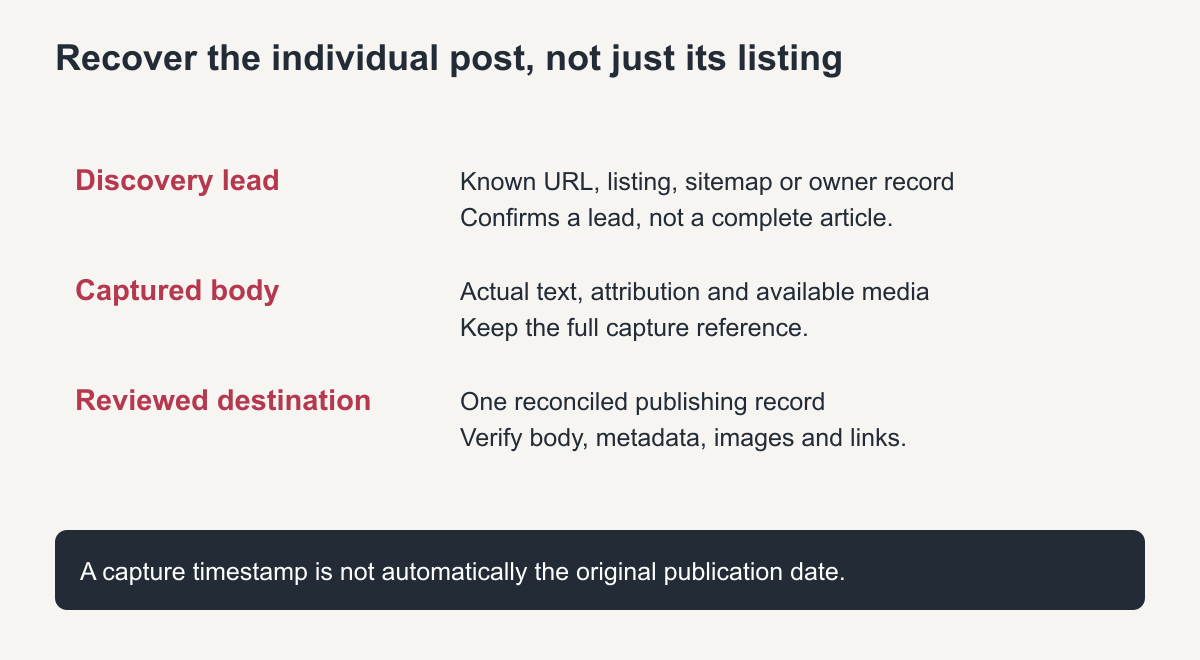
Original evidence chain. A listing is not a recovered article.
Record dates and attribution as separate evidence
A capture timestamp says when the archive obtained a response; it is not necessarily the article's original publication date. Look for an explicit date in the captured article and other suitable owner-held records. Keep conflicting dates visible until they are resolved.
The same care applies to authorship. Preserve a documented historical byline when appropriate, but do not create a fictional author biography or assign a different person's account simply to make a recreated record look complete. Historical attribution and the current publisher's account can be separate facts.
If the original date is uncertain, document that uncertainty and use a truthful current publishing decision. Do not backdate a recreated post on the basis of an unrelated calendar marker. An owner can choose to republish historical material now without pretending its uncertain metadata was recovered.
Use a post-level recovery inventory
This is an unfilled worksheet. The labels do not describe successfully recovered articles or customer results.
| Field | Record for each actual post |
|---|---|
| Original URL | Full historical post address, including meaningful path details |
| Discovery lead | Listing, sitemap entry or owner record that identified it |
| Body source | Full capture reference and observed timestamp |
| Title and attribution | Evidenced wording and byline, with uncertainty notes |
| Historical date | Specific evidence, conflicting evidence or “unknown” |
| Media | Actual usable file, provenance, quality and unresolved images |
| Content gaps | Missing sections, downloads or references—not invented replacements |
| Taxonomy decision | Evidenced original category or approved new organization |
| Destination record | Existing/new WordPress ID and intended public address |
| Review outcome | Actual content, link, image and metadata checks performed |
Maintain one destination record for each reader task and original item. Reconcile an existing post by URL and content before creating another. A title change or a cleaner slug is not a reason to publish duplicate recovered content.
Recreate useful content without fabricating missing history
Restore the body into suitable editable components and associate permitted images. The missing-image guide helps distinguish captured originals from thumbnails or new replacements. If a needed image does not survive, record an approved replacement or omission.
Rebuild categories according to the intended current archive organization. Do not import unrelated navigation labels as categories or create one for every synonym in the title. Connect recreated posts to actual current destinations through relevant contextual links.
Where a passage is missing, seek another suitable source or record the gap. New explanatory copy may be useful, but it must not be presented as the original writer's recovered words. Retain appropriate credit and permission records for content supplied by others.
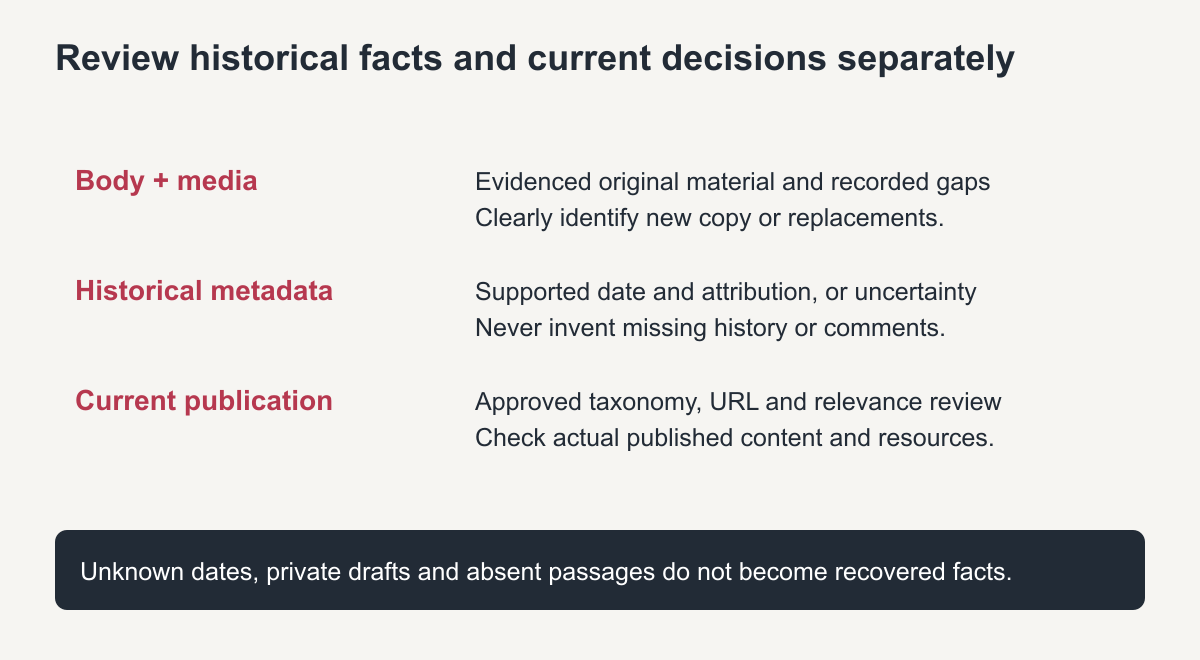
Original publication-review guide. Unknown facts remain unknown until supported.
Treat comments, private drafts and current relevance carefully
Public captures may show some visible comments, but that is not an original comments database and may not represent the full discussion. Private drafts, subscriber details and unpublished moderation records require suitable authorized source data. Do not manufacture comments or testimonials to fill an empty restored page.
Review historical advice, contact details and linked resources before republishing. Keep an intentional historical article's period clear, or separately identify substantive current updates. Recovered availability does not establish that every old instruction is safe or current.
Verify the final post body, attribution, chosen date, image loading and important direct URL after publication. A scoped WordPress restoration service should state which posts were recovered, which facts remain uncertain and what new implementation was needed. The inventory—not a fabricated count of restored history—is the useful handover.
Recover deleted WordPress blog posts: quick checklist
- Check the WordPress trash and any revisions first.
- Ask your host for a database backup from before the deletion.
- Search the archive for each post URL and the blog archive pages.
- Rebuild each post with its original title, date, slug and categories.
- Reconnect images and internal links between posts.
Prioritising which posts to rebuild
If many posts were lost, start with those that had search traffic, backlinks or comments, then work through the rest by date. Rebuilding the strongest posts first restores most of the blog’s value early in the project.
Once the posts are back, set up regular backups so the blog is never again dependent on the archive alone.
Frequently asked questions
Can I recover deleted WordPress blog posts after emptying the trash?
Not from WordPress itself. Use a backup if one exists, or rebuild the public text from archived copies of each post.
Will the restored posts keep their old dates?
You can set the original publish date when you recreate each post, as long as you know it from the archive or your records.
Can comments on deleted posts be recovered?
Only if they were shown on the captured pages. Comment data stored in the database is not recoverable from the archive.