
Published by Wayback Downloader.
The best Wayback snapshot for website restoration is the capture that represents the business version you need and preserves enough of its important pages and resources to support a rebuild. Compare actual page content, images, styles and navigation—not just the most recent calendar date. Keep supplementary captures separate and record any decision to combine versions.
Not sure what survived? Start with a free check of what the archive saved before you download anything. Or download plans and prices for each format.
A polished homepage can be a poor source if the service pages belong to an older business or the essential downloads are absent. Your selection should explain both why a capture is useful and what it cannot establish.

Define the version before comparing dates
Ask the owner which website they want reconstructed: the last working version, a particular design period, or selected content from several periods. Record the business name, expected navigation, important products or services and known major redesigns. A requested year is a starting range, not sufficient proof that every capture in it represents the same version.
Build a short sample of important page types. Include the homepage and, where relevant, a service page, an article, a contact page, a product page and a downloadable document. A small representative sample helps reject an unsuitable period before reviewing hundreds of URLs.
Keep historical accuracy separate from present-day approval. Even the correct old version may contain an obsolete address, price or staff profile. Flag those facts for owner review instead of treating the capture date as permission to publish them today.
Find the best Wayback snapshot by inspecting the page, not the calendar marker
Open candidate captures of each sample page. Check that the response is the intended website rather than a hosting-expiry message, redirect, error page or unrelated later owner. Read the lower page sections and follow a few meaningful navigation links.
Record what you actually see. “Text readable, hero image absent” is useful. “Ninety percent recovered” is not a defensible finding unless a defined inventory and counting method support it—and still says little about business importance.
The Internet Archive's Wayback guidance explains that pages and dependent resources can be incomplete, and replay may use a nearby capture when the exact requested item is unavailable. Check the capture references of the pages and resources you use. Do not assume everything displayed in one browser session was collected simultaneously.
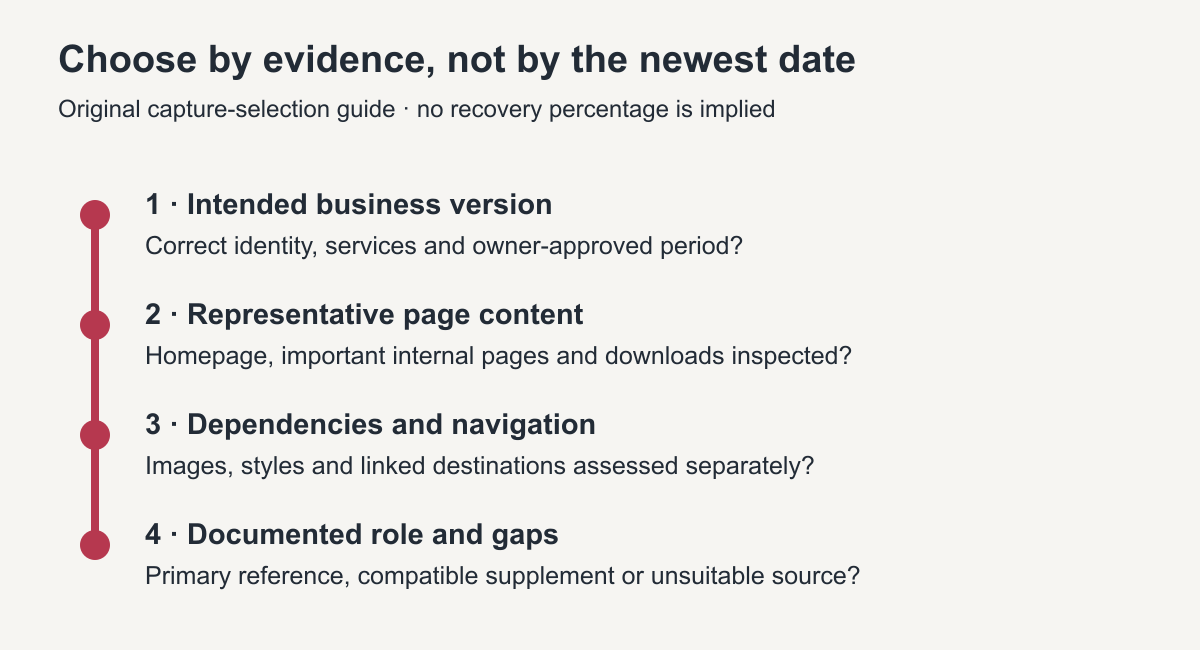
Original selection diagram. A recent date is only one input; the intended business version and usable dependencies matter more.
Compare text, assets and layout independently
For content, check important headings, body text, lists and downloadable links. For assets, inspect the images, stylesheet references, fonts and documents that affect meaning or appearance. A visible link to a PDF does not mean the PDF was captured.
For layout, decide whether the surviving styles give a useful reference. A mostly unstyled page may still preserve valuable wording, while a good-looking page might hide missing lower content. Do not discard readable material merely because its original stylesheet is unavailable; classify its contribution accurately.
Navigation needs a separate check. A menu may contain addresses for pages whose captures were taken in a different period. If a linked page displays a different logo or service catalogue, record that mismatch rather than silently accepting it as part of the same version.
Use a qualitative finding for each criterion: suitable, partially useful, unsuitable or not yet inspected. Add a short reason. Those categories are editorial decisions, not an automated recovery score.
Sample comparison scorecard
The following candidates are fictional examples. They do not describe an inspected customer website or actual captures, and their labels are not dates from a real archive.
| Check | Illustrative candidate A | Illustrative candidate B | Illustrative candidate C |
|---|---|---|---|
| Intended business version | Earlier branding; unsuitable for the requested version | Requested branding and services | Later owner; unsuitable |
| Homepage text | Readable, but outdated | Readable | Different business |
| Representative service page | Previous service list | Main copy readable; one photograph absent | Not relevant |
| Article sample | Not yet inspected | Body readable; one internal link unresolved | Not relevant |
| Layout reference | Mostly unstyled | Main structure visible | Not relevant |
| Provisional role | Possible source for an unchanged asset, subject to approval | Primary candidate; missing items still need decisions | Exclude from this scope |
Candidate B is the provisional choice because it fits the requested version and has useful representative content. It is not “complete.” Before committing to a quote or delivery scope, expand the page inventory and resolve the uninspected or missing items.
In your own scorecard, replace candidate labels with full capture URLs and observed timestamps. Keep the original URL, inspection date, finding and reviewer together. This allows someone else to reproduce the selection rather than rely on an undocumented preference.
Choose a primary capture and controlled supplements
Treat the primary capture as the reference for the approved version, not as a guarantee that it supplies every file. Supplement it only when another source is compatible and its role is clear.
If the chosen source has gaps, the incomplete-snapshot guide provides a register for separating missing pages, assets, styling and behavior before agreeing on replacements.
For example, a different date may supply the same company logo at a usable resolution. A different service description may reflect a changed offering and cannot be merged merely because it fills a blank space. Compare identity, wording, business facts and visual consistency before accepting a supplement.
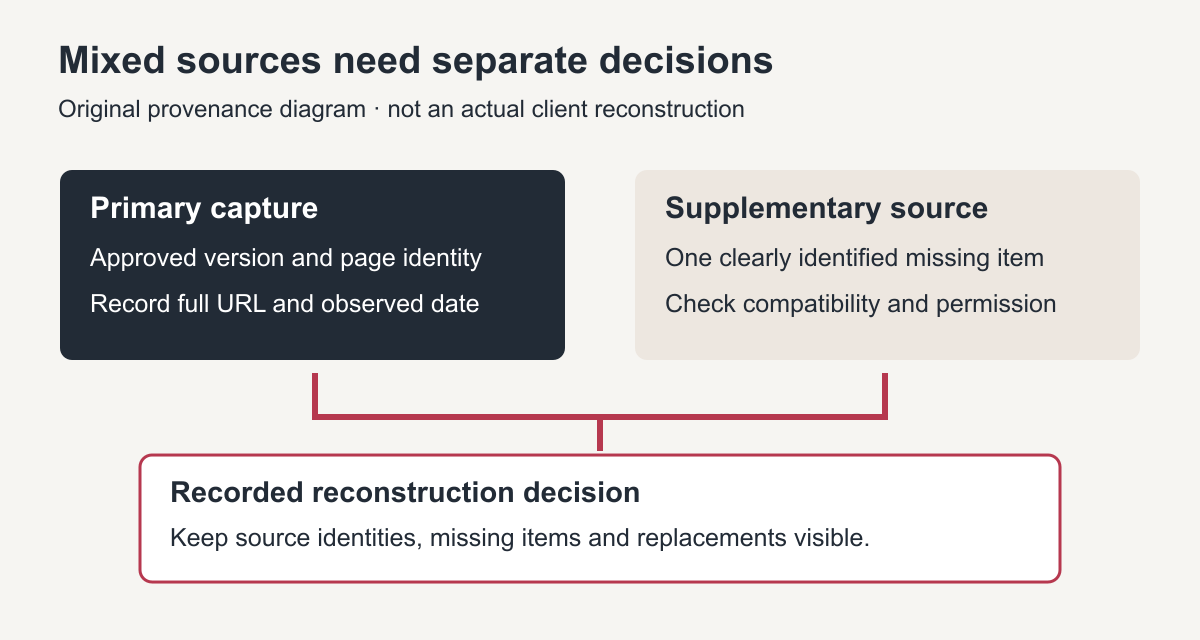
Original provenance diagram. Keep each supplementary source identifiable instead of describing mixed material as one exact historical copy.
Use this compact selection record:
- Intended version and owner-approved period.
- Primary original URL, full capture URL and observed timestamp.
- Sample pages checked and their findings.
- Supplementary capture references, with the exact item each supplies.
- Incompatible or missing items and the required owner decision.
- Current facts that will replace obsolete historical information.
Save source files without overwriting earlier copies. If the preferred capture changes later, record why. A documented change is safer than quietly switching the reference halfway through the build.
Know when selection needs an archive review
Several competing designs, essential missing pages or a mixed product catalogue may require a deeper assessment. An archive review should identify usable sources and gaps before the output format is settled. Ask for observable findings and a proposed scope, not a promise based on the homepage alone.
After selection, follow the source-to-rebuild workflow to inventory the rest of the material and test the eventual result. Selection establishes the evidence base; it does not finish the restoration.
Is the newest snapshot always best?
No. It may show a parked domain, incomplete response or different owner. A slightly older capture can be more useful when it preserves the approved business version and essential content.
Should a capture with missing images be rejected?
Not automatically. Judge the missing image's importance and whether an authorized matching source exists. Keep the capture if its content is useful, but record the gap and any approved replacement rather than calling it visually complete.
The final selection should leave a clear trail: the version requested, the sources inspected, the primary reference chosen and the specific gaps that still require decisions. That written trail is what turns the best Wayback snapshot from a guess into a decision someone else can check.
To review every capture of a URL, open its calendar on the Internet Archive Wayback Machine and compare candidates side by side. The best Wayback snapshot for the home page is often a different date from the best one for product or article pages, so record the choice per page type.