
Published by Wayback Downloader.
To host a restored Wayback website, first identify the actual deliverable: static HTML files or a newly built CMS installation. Prepare a compatible destination, test the pages and dependencies privately, arrange the authorized domain and HTTPS setup, then complete a documented handover and backup. Deploying files and collecting archive material are different jobs.
Not sure what survived? Start with a free check of what the archive saved before you download anything. Or download plans and prices for each format.
Do not assume every restoration package includes hosting, domain changes or deployment. Confirm those responsibilities before transferring access or scheduling a public launch.

Identify what must run at the destination
A static HTML package needs a host that serves its files and expected paths. Forms, search or other dynamic behavior may require separately agreed services. An HTML archive does not become WordPress merely because it is uploaded into an account that also supports WordPress.
A CMS reconstruction needs the platform's runtime, data storage, application files and current configuration. For an original WordPress backup, the WordPress backup handbook distinguishes files and database; for a new reconstruction, use the new installation's actual components rather than assuming an old database was recovered.
Write down the entry point, required runtime or services, source-to-destination path plan and deployment owner. Obtain the package's missing-item list before interpreting its folder structure as a complete website.
Confirm the document root and routing arrangement
Ask the hosting administrator which directory or deployment location serves the website and how its URL paths are handled. Do not assume a folder named public_html, www or dist is the correct target for every host.
Apache's URL-mapping documentation describes DocumentRoot for Apache deployments. Other hosting systems can use different configuration, but the practical question is the same: where does a request for an agreed page obtain its content?
The following is an illustrative static layout, not a configuration recipe for every provider:
agreed-public-root/
  index.html
  about/
    index.html
  assets/
    css/site.css
    images/logo.png
private-handover-storage/
  source-manifest.csv
  deployment-notes.txt
On a compatible directory-index setup, the about-page file can support /about/. Test that behavior at the actual destination; do not infer it from a local filename. Keep credentials, private source archives and non-public handover material outside public web space.
Avoid overwriting an existing site as a test. Use a reviewed deployment plan and a separate working destination first. Record the previous version and rollback arrangement with the authorized administrator.
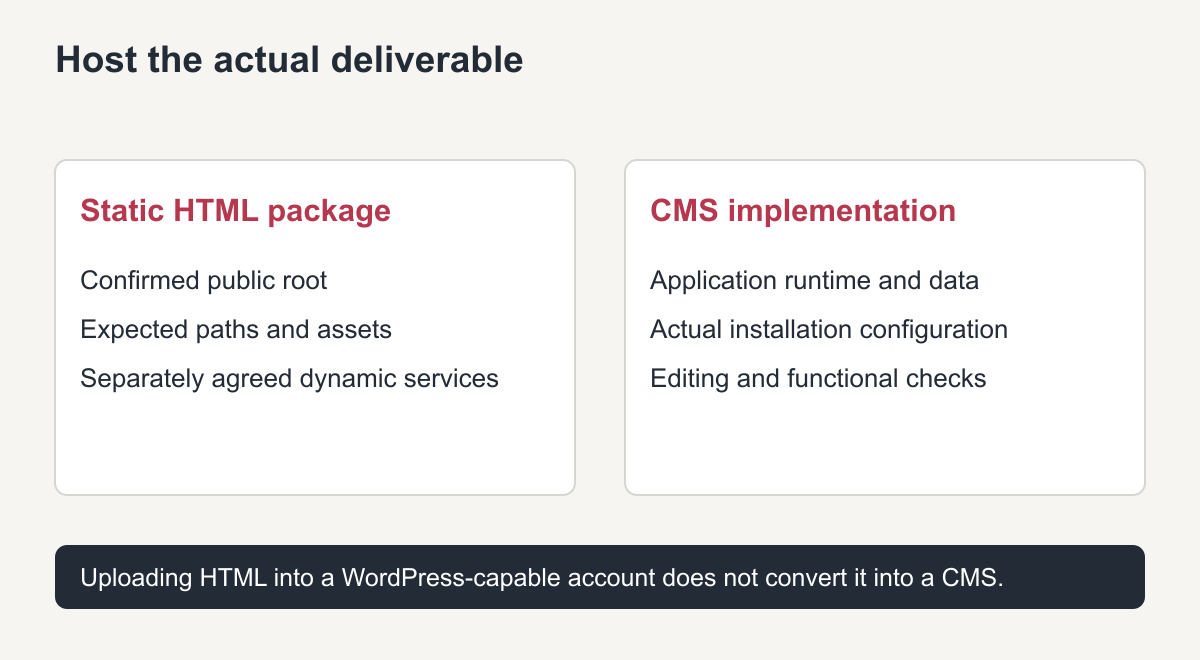
Original deployment guide. The supplied deliverable determines the hosting checks.
Test the deployed copy before directing customers to it
Open important pages directly as well as through navigation. Test nested paths, capitalization, extension-sensitive addresses, images, stylesheets and downloads. A package that looks correct when opened as one local file can still fail under an actual host's routing rules.
Check for references to the defunct domain or archive replay that should have been mapped locally. Keep intentionally external services separate from accidental dependencies. Confirm that required third-party services are current and authorized.
For CMS output, test the agreed editing task on representative pages. For new forms or commerce behavior, perform the approved functional tests and confirm responsible recipients or business settings. Do not copy historical credentials, tracking identifiers or notification destinations from public markup and assume they are appropriate today.
Use the HTML ZIP preparation checklist to reconcile the deployed files against the supplied manifest. Deployment does not resolve absent source items automatically.
Arrange the authorized domain and HTTPS transition
Confirm who controls the domain, who manages its routing and who is authorized to approve the launch. Record existing website and email arrangements before a change. A website move should not accidentally remove unrelated business email configuration.
Have the responsible administrator specify the required routing records, intended canonical domain and certificate arrangement for the selected host. This guide is not an instruction to change nameservers or accept an insecure certificate warning.
Verify HTTPS on the intended public address, then retest important pages and assets after the authorized transition. Watch for mixed destination assumptions, loops or old-host references. Keep a documented rollback option until the accepted version is stable.
Deployment and handover checklist
| Checkpoint | Evidence or record to obtain |
|---|---|
| Deliverable identified | Static package or actual CMS installation, with required services |
| Destination prepared | Confirmed public root, routing assumptions and deployment owner |
| Private checks passed | Important direct URLs, navigation, assets and downloads tested |
| Functions accepted | Actual agreed form or application tests; current owner inputs |
| Launch authorized | Domain-control confirmation, routing plan and HTTPS arrangement |
| Public checks repeated | Correct domain, HTTPS and direct paths verified after transition |
| Backup usable | Destination files and required data backed up with a known restore process |
| Ownership transferred | Responsible accounts, renewals, access-transfer method and support boundaries recorded |
Do not put passwords into the checklist. Transfer needed access through an appropriate secure method to the authorized operator, and keep the private access record separate from public files.
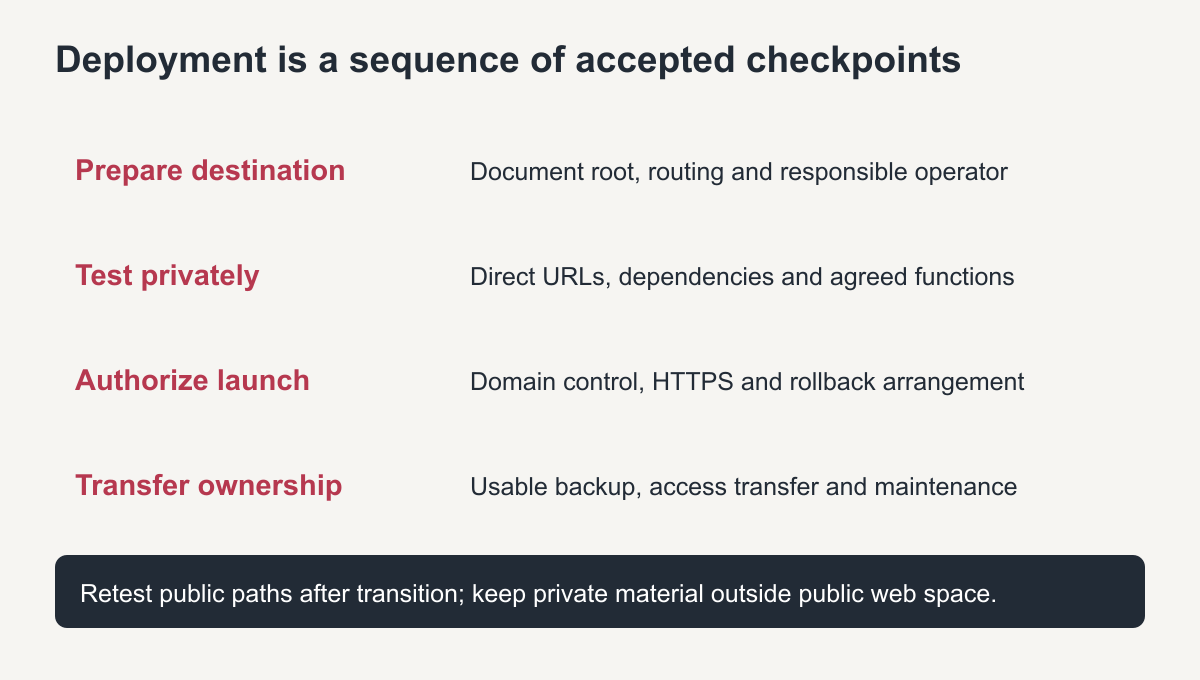
Original handover sequence. A successful upload is only one checkpoint.
Use the restored-website relaunch checklist to record actual content, resource, function and URL outcomes alongside the deployment handover, rather than treating upload completion as acceptance.
Agree what the restoration fee includes
Ask whether the scope covers only file delivery, a private preview, CMS installation, hosting deployment or an authorized domain transition. Confirm who pays for and maintains any hosting or external service. Do not infer those commitments from a phrase such as “hosting-ready.”
The site's delivery information is the appropriate place to check the stated handover approach. Project-specific responsibilities still need to match the accepted scope and the actual destination.
A complete deployment handover leaves the owner with a working accepted website, a usable backup and a clear account of who controls and maintains the destination. It does not end at “files uploaded.”
How to host a restored Wayback website: choosing a hosting type
The right hosting depends on what was rebuilt. A clean HTML copy runs on almost any host, including low-cost shared hosting and static site hosts, because it only serves files. A WordPress rebuild needs PHP and a database, so choose managed WordPress or shared hosting that supports it. In both cases make sure SSL is included and that you can create backups.
Before you point the domain
Before you host a restored Wayback website on its live domain, upload it to the new host first and test it through a temporary address or a hosts file entry. Only change DNS once pages, images and forms work, so visitors never see a half-finished site during the switch.
Frequently asked questions
What is the cheapest way to host a restored Wayback website?
For an HTML copy, a static site host or basic shared hosting is usually enough. WordPress needs a host with PHP and a database.
Do I need to keep the files in the same folders?
Yes, if you want the old URLs to work. The folder structure on the server decides each page’s address.
Should I host the restored site on the old domain?
If you control it, yes. The old domain keeps existing links and search history pointing at the restored pages.