
Published by Wayback Downloader.
WordPress restoration and native Elementor reconstruction can produce a similar-looking website with different maintenance capabilities. Choose by the changes your team needs to make: editing article content, replacing media, adjusting section layouts, or maintaining shared templates. Ask the implementer to demonstrate those specific tasks and identify any parts that remain code-managed.
If you want an editable site instead of raw files, see our archive.org to WordPress service. You can also request a free archive review first.
Elementor operates within WordPress; this is not a choice between unrelated platforms. It is a comparison of restoration scopes and delivered editing structures, not a claim that installing one plugin makes every recovered page visually editable.

Separate content editing from layout editing
Content editing changes the words, lists, images and other material within a page or post. Layout editing changes the arrangement, spacing and presentation of its sections. Shared-template editing changes structures that can affect several pages at once.
The WordPress block documentation explains independent content blocks and controls. Blocks can provide meaningful native editing, but the chosen theme and implementation determine how much wider layout control is available.
Native Elementor reconstruction maps visible page elements into appropriate editable widgets and containers. Elementor's container guidance explains nested structures and reuse. It does not establish that a particular restoration package actually uses those structures; that must be shown in its deliverable.
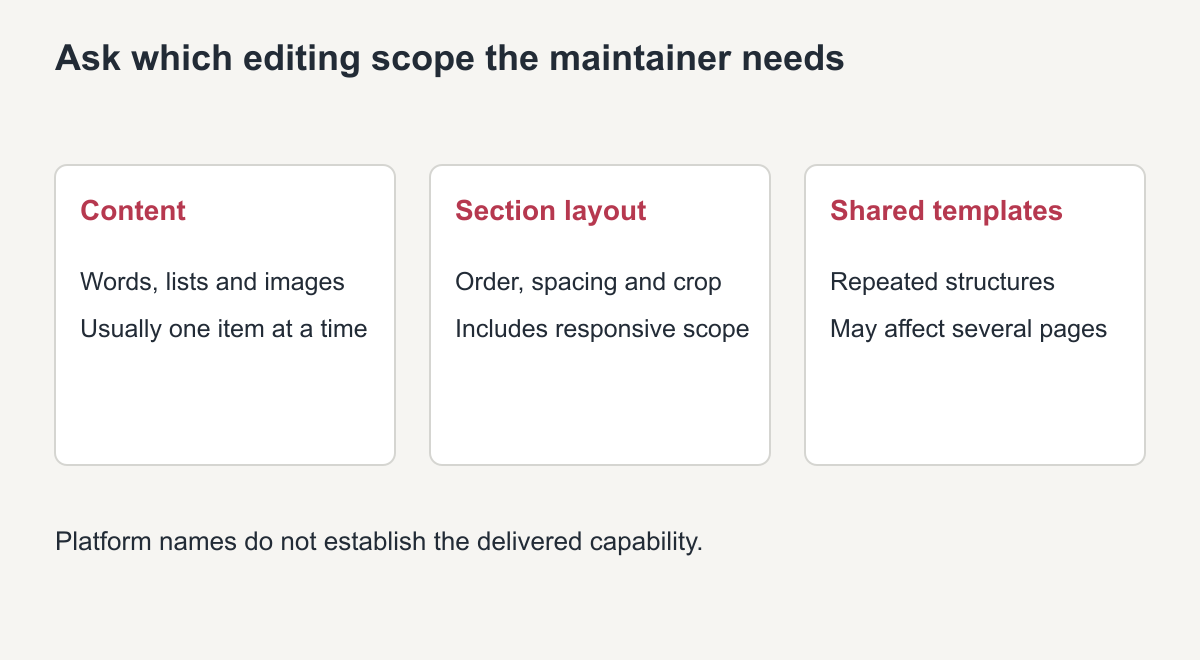
Original scope illustration, not an editor screenshot or delivered-project result.
Compare what the owner can actually change
“WordPress included” or “Elementor installed” is not sufficient acceptance evidence. Use the following matrix as questions for a representative page. The answers depend on the implementation, not only the platform name.
| Maintenance task | Basic WordPress implementation | Native Elementor reconstruction |
|---|---|---|
| Change body wording | Native blocks or other agreed content controls; embedded HTML can require code | Text-bearing widgets or connected content fields when implemented that way |
| Replace a content image | Native media/image controls when supplied | Image widget or agreed dynamic field when supplied |
| Reorder a service section | Depends on block structure and theme-managed layout | Container/widget arrangement when natively reconstructed |
| Adjust mobile spacing or order | Depends on available theme, block and styling controls | Breakpoint-specific controls where implemented and permitted |
| Change shared header/footer | Actual theme or template editing location | Actual shared template editing location and display scope |
| Maintain bespoke interactions | Separately documented code or plugin behavior | Still separately documented; a builder does not recover an old backend |
A whole page pasted into an HTML component has a different maintenance model from separate native elements. A screenshot used as page content has no editable underlying text or layout. Neither should be passed off as native reconstruction simply because it renders inside WordPress.
Reproduce an editing acceptance test
This is a labeled demonstration protocol to run on an authorized private copy, not an assertion that a customer's project has passed. Use the actual installed editor; menu locations can vary by version.
Choose one representative section with a heading, content image and call-to-action. Ask the intended maintainer to change the heading, replace the image, and edit the button destination through ordinary native controls. Save and reload the private preview, then verify each change persisted and the link points to the intended test destination.
If layout editing is promised, ask the maintainer to change the section's arrangement using the agreed layout controls. Check desktop and mobile results without concealing an implementation defect in device-specific duplicates. Record the scope affected: just that page, a reusable component, or a shared template.
Restore the approved test-copy content afterward. Document which tasks succeeded, which needed a developer, and which were outside the agreed scope. A demonstration that the implementer can change code does not prove that the owner can maintain the site through native visual controls.
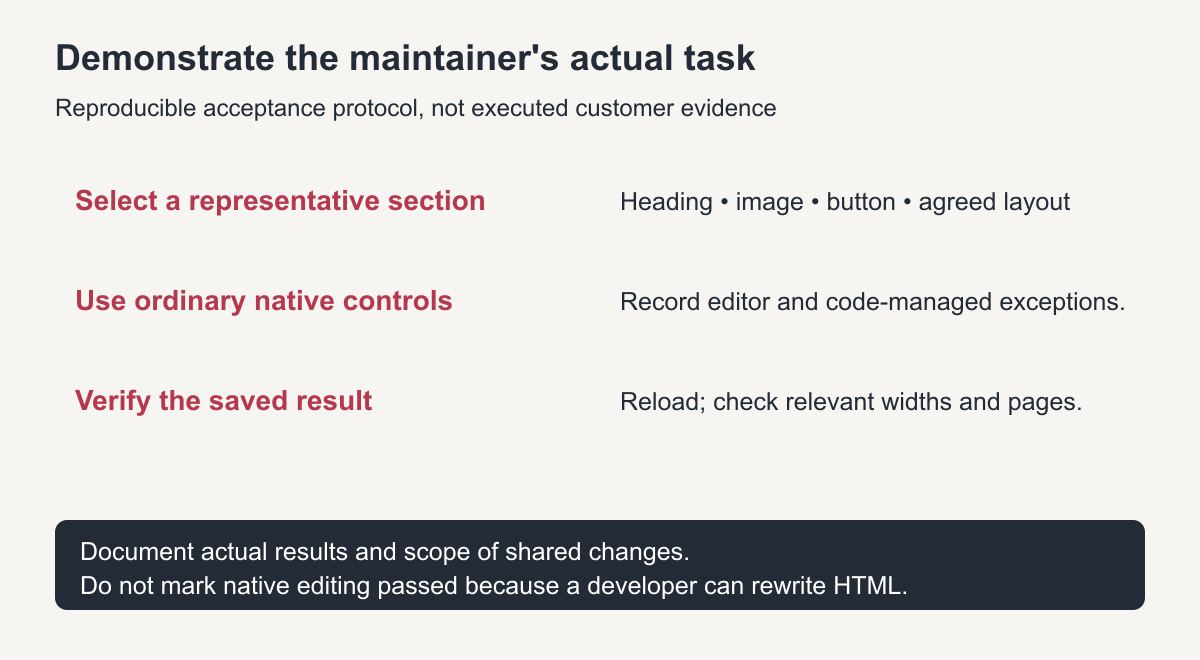
Original acceptance protocol. No invented pass results or project screenshots are shown.
Consider source quality separately from editor choice
Complete, compatible source material makes reconstruction easier to specify. Missing CSS, images or mobile references introduce decisions regardless of the delivered editor. Record those decisions rather than promising that Elementor fills every historical gap automatically.
The download-versus-restoration guide compares acquisition and finished deliverables. Here the question is narrower: how the accepted reconstructed content and layout will be maintained.
An Elementor rebuild without an original export is a new native implementation informed by evidence. The native reconstruction guide maps visible sections into new editable elements. It is not proof that original widget settings or global styles were recovered. Likewise, native WordPress blocks can be newly built from recovered content without recreating the old theme internally.
Agree on licensing and ongoing responsibility
Identify the exact theme, builder features and other dependencies that the agreed scope requires. Check the current vendor documentation and the actual license arrangement rather than assuming that a broad service label includes a particular paid plan forever.
Elementor's current import/export documentation notes that available export options depend on subscription. For any required paid feature, agree who owns the account, supplies the license, handles renewal and maintains updates. Do not share a vendor account or expose credentials merely to make a handover appear complete.
Specify the support boundary for code-managed elements and third-party functions. Keep a usable website backup as well as any builder export supplied; different artifacts can contain different parts of the implementation.
Choose the smallest editing scope that meets real tasks
For a mostly fixed information site whose team changes text and images, an appropriately structured WordPress implementation may be sufficient. For a team that will frequently rearrange service sections or adjust their visual presentation, native Elementor reconstruction may be appropriate when those tasks are included and demonstrated.
A complex form, store or bespoke interaction needs its own functional specification in either case. Do not choose an editor as a substitute for defining current data, notifications, payment setup or acceptance tests.
The Elementor WordPress restoration service is the relevant commercial scope when native visual reconstruction is required. Ask for a representative editing demonstration and a list of code-managed exceptions. The best choice is the one your actual maintainer can use reliably—not the one with the broadest unverified “fully editable” claim.
WordPress vs Elementor restoration: quick comparison
| Need | Block editor | Elementor |
|---|---|---|
| Edit text and images | Easy | Easy |
| Change page layouts visually | Limited | Strong |
| Page speed | Lighter | Heavier by default |
| Extra licence | Not needed | Pro for some features |
Matching the choice to who will edit the site
Think about who will make changes after the restoration. Owners who update text occasionally are usually happy with the block editor, while teams that adjust layouts and landing pages often prefer Elementor’s visual controls.
Frequently asked questions
Which is easier to edit after a WordPress vs Elementor restoration?
Elementor is easier for changing layouts visually. The block editor is enough for owners who mainly update text and images.
Is Elementor slower than the block editor?
It usually loads more code, but careful builds with global styles and compressed images keep it fast.
Can I switch later?
Yes, but pages have to be rebuilt in the other editor, so choose based on how you expect to edit the site.